Step 1
Download the Voicy app here
Voicy focuses on the things that matter to you: privacy-friendly, free to try, over 99% accuracy in 50 languages, and blazingly fast results.
It adds voice dictation to Cursor IDE and other apps on your computer.
 Voicy
Voicy
Speech to Text Desktop App for Cursor IDE
Write AI prompts with your voice in Cursor.
3x faster than typing.
Over 99% accuracy in 50+ languages.
Try for free. No credit card required.
And +20,000 more
Step 1
Voicy focuses on the things that matter to you: privacy-friendly, free to try, over 99% accuracy in 50 languages, and blazingly fast results.
It adds voice dictation to Cursor IDE and other apps on your computer.
Step 2
During the Voicy setup, you can select a keyboard shortcut to use to start and stop your recordings.
It's the easiest way to use dictation on your computer.

Step 3
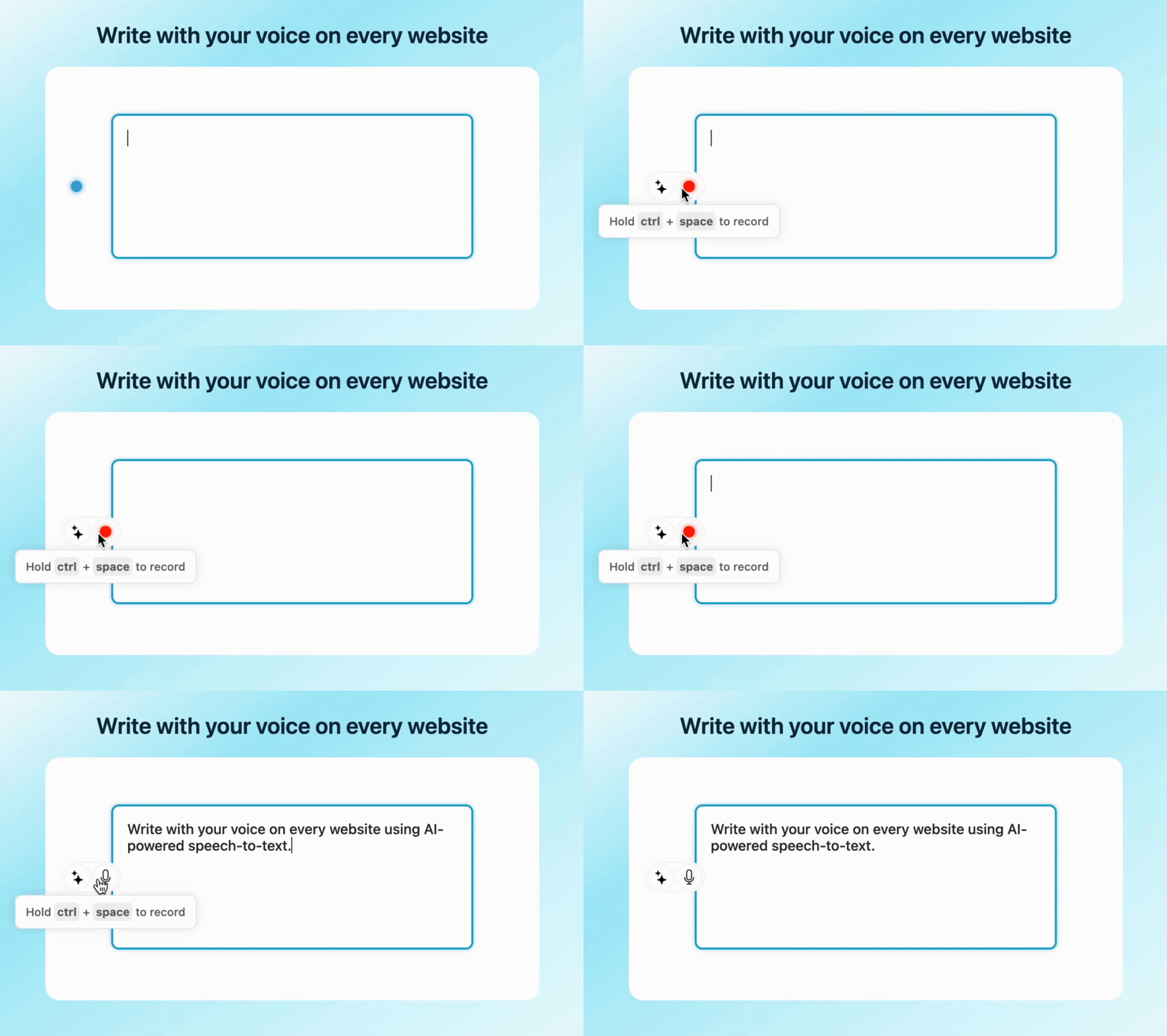
Once Voicy is installed, you can use talk to text everywhere on your computer.
This includes all of your apps and every website in your browser too!
Voicy works on all the websites and apps you use daily. This means you can use voice typing to write emails, messages, documents, blog posts, etc.This means your voice can write emails, messages, documents, blog posts, etc.

















Nobody sees your transcripts except yourself.
You can read more about our privacy policy here.
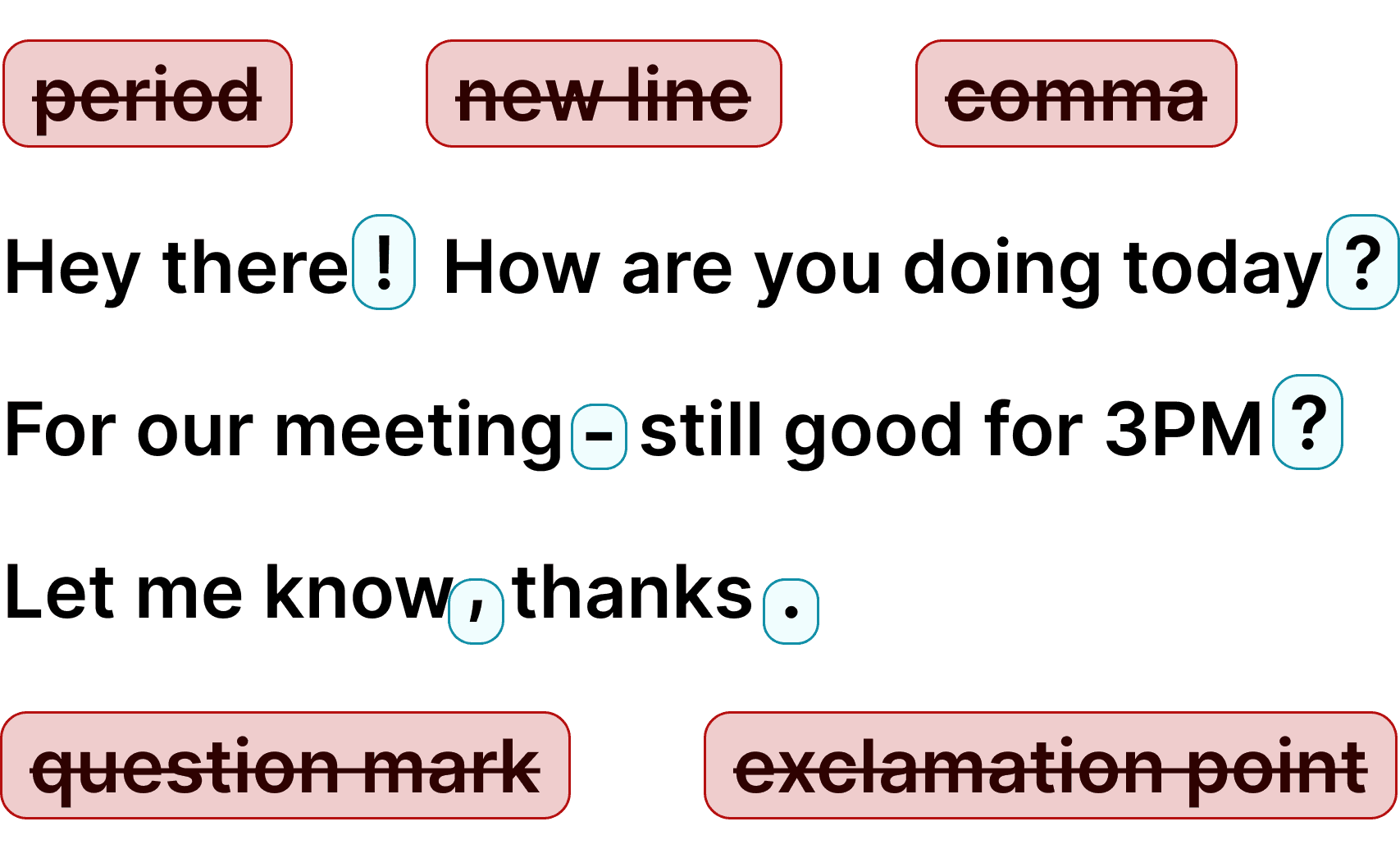
Voicy automatically adds perfect punctuation to your dictated text.
Zero typos, perfect grammar, perfect punctuation.
Voicy gives you over 99% accuracy in more than 50 languages, including speech-to-text in English, German, French, Spanish, Portuguese, Mandarin, etc.Over 99% accuracy in more than 50 languages, including speech to text in English, German, French, Spanish, Portuguese, Mandarin, etc.

I've tried other products like it, and, so far, Voicy is the most user-friendly, and it really improves my workflow.

This is the tool that I was looking for. It is amazing. I've gotten so lazy about typing anywhere. Thank you, thank you, thank you for this product!

Voicy is an absolute game-changer! This voice-to-text extension delivers exceptional accuracy, capturing my words perfectly every time. The speed is impressive.

Almost instant replies from the creator, great support great app!

I love Voicy!! The extension and the desktop app have saved me so much time. I have tried several different voice-to-text apps. None of them compares to Voicy!
 Google Docs
Use Speech-To-Text inside Google Docs to write documents in half the time.
Read MoreGmailAutomatic punctuation and formatting help you write perfect emails!
Read MoreMicrosoft WordStuck on that first line to start your doc? Just speak it out and it's there.
Read MoreOutlookVoicy works perfectly in all Outlook versions to help you dictate emails.
Read More WhatsApp
Are you a talker but know that nobody likes voice notes? Worry not, Voicy's got you!
Read MoreClaude and ChatGPTGive AI the best possible prompt by using your voice. Better input leads to better output!
Read MoreOn average, voice typing can increase the speed of writing by 3x.
Instead of using your keyboard, simply click on the keyboard shortcut, start speaking, and you will see the text on your screen instantly.
Additionally, you always get perfect grammar and punctuation.
By completely cutting out the thousands of keystrokes we make every day, Voicy simply reduces the need to use your fingers and keyboard.
An ergonomic mouse and keyboard are great. No keyboard is even better.
How often did you have to correct the words that native voice dictation gives you?
Or how often did you have to Google how to fix voice typing on Mac/Windows?
With Voicy, you get more accurate text, automatic punctuation, and lots of useful AI features.
Cursor IDE is where developers build software with AI — and the best prompts are detailed, specific, and conversational. Voicy's speech to text makes that easy. Instead of typing out long code instructions, you describe what you want by talking. Your prompts come out longer and more natural, which means better code suggestions from Cursor's AI. Voicy works in Cursor's chat input, inline editing, and any terminal window on your computer.
Beyond voice dictation, Voicy gives you AI editing commands — clean up a rough prompt before sending it to Cursor. It works in over 50 languages, so developers can code in their native language. Whether you're pair programming with Cursor's AI, debugging, or building features from scratch, voice typing keeps your hands off the keyboard and your ideas flowing.
The best Cursor prompts are often 50-200 words — describing the feature you want, the constraints, the edge cases. Typing all that takes time and breaks your creative flow. With speech to text, you speak that same prompt in 20-60 seconds. Your hands rest while you think out loud, and the AI gets a better, more detailed instruction to work from.
Voicy uses AI-powered speech recognition with 99%+ accuracy that handles programming terms, framework names, and technical vocabulary. It adds punctuation automatically so your prompts come out clean and structured. For developers spending hours a day in Cursor IDE, switching to voice dictation saves significant time and reduces typing strain.
Cursor IDE is built for AI-assisted development — you describe what you want, and the AI writes the code. But typing detailed descriptions is slow and breaks your creative flow. Voice dictation is the natural next step: speak your feature requests, bug descriptions, and architecture decisions out loud, and let Cursor's AI turn them into working code.
With Voicy, your prompts end up longer and more detailed — which directly improves the quality of Cursor's code output. A developer who types a 30-word prompt gets basic code. The same developer speaking a 150-word prompt with full context, edge cases, and examples gets production-ready code. That's the difference voice typing makes in Cursor.
In Cursor's chat panel, voice typing lets you describe features, ask questions, and iterate on code without touching the keyboard. In inline editing mode, dictate changes directly in your codebase. In the terminal, speak commands and instructions to Cursor Agent. Voicy works in all three — same keyboard shortcut, same accuracy, everywhere in Cursor.
Voicy also works outside Cursor — in your browser, email, docs, Slack, and every other app. So the same tool that powers your voice coding also handles your emails, messages, and documentation. One app, one shortcut, voice typing everywhere on your Mac or Windows computer.
Yes. Install the Voicy desktop app, set a keyboard shortcut, and dictate into Cursor's chat panel, inline editing, or terminal. Review technical text before using it.
Speaking lets you give Cursor longer, more detailed instructions naturally while giving your hands a break from the keyboard.
Voicy can transcribe technical vocabulary for prompts about Python, JavaScript, TypeScript, Rust, Go, and more. It also supports 50+ spoken languages with automatic detection.
Voicy works in over 50 languages including German, French, Arabic, Portuguese, Spanish, Hindi, Simplified Chinese, Hebrew, and many more.
Voicy handles programming terms, framework names, and technical vocabulary, though you should review dictated code, commands, and file paths.
Voicy offers a free trial with all features. Paid plans start at $8.49/month.
Voicy does not store voice recordings or transcriptions after processing. Transcription is cloud-based, so review your requirements before dictating confidential code or secrets.
Voicy is a dedicated desktop speech-to-text app with automatic punctuation that works in Cursor and other apps on your computer.
Yes. You can describe features, explain bugs, and give context by speaking instead of typing, then review the prompt before sending it.
Voicy works in Cursor's chat panel, inline editing, and terminal text inputs. The same keyboard shortcut also works in other apps.
Cursor Composer offers voice for its own workflow. Voicy adds a consistent dictation shortcut across Cursor and the rest of your computer.