Step 1
Download the Voicy Mac app here
Voicy adds speech to text to apps across your Mac, including Word, Outlook, Gmail, and Google Docs.
 Voicy
VoicyVoicy is 2x more accurate than Apple Dictation.
It works in over 50 languages, handles automatic punctuation, and works in every app on your Mac.
Try for free. No credit card required.
| Feature | Voicy⭐ Recommended | Apple |
|---|---|---|
| Integration | Everywhere on your Mac | Everywhere on your Mac |
| Accuracy | +99% in 50 languages | ~90%, better in English |
| Speed | Fast, cloud-powered | Fast, built-in |
| Setup | Requires download | Built-in |
| Voice Commands | AI commands + editing | Basic editing commands |
| Privacy | Privacy by design | Local processing |
| Support | Phone + Email | Apple community support |

I've tried other products like it, and, so far, Voicy is the most user-friendly, and it really improves my workflow.

This is the tool that I was looking for. It is amazing. I've gotten so lazy about typing anywhere. Thank you, thank you, thank you for this product!

Voicy is an absolute game-changer! This voice-to-text extension delivers exceptional accuracy, capturing my words perfectly every time. The speed is impressive.

Almost instant replies from the creator, great support great app!

I love Voicy!! The extension and the desktop app have saved me so much time. I have tried several different voice-to-text apps. None of them compares to Voicy!
Step 1
Voicy adds speech to text to apps across your Mac, including Word, Outlook, Gmail, and Google Docs.
Step 2
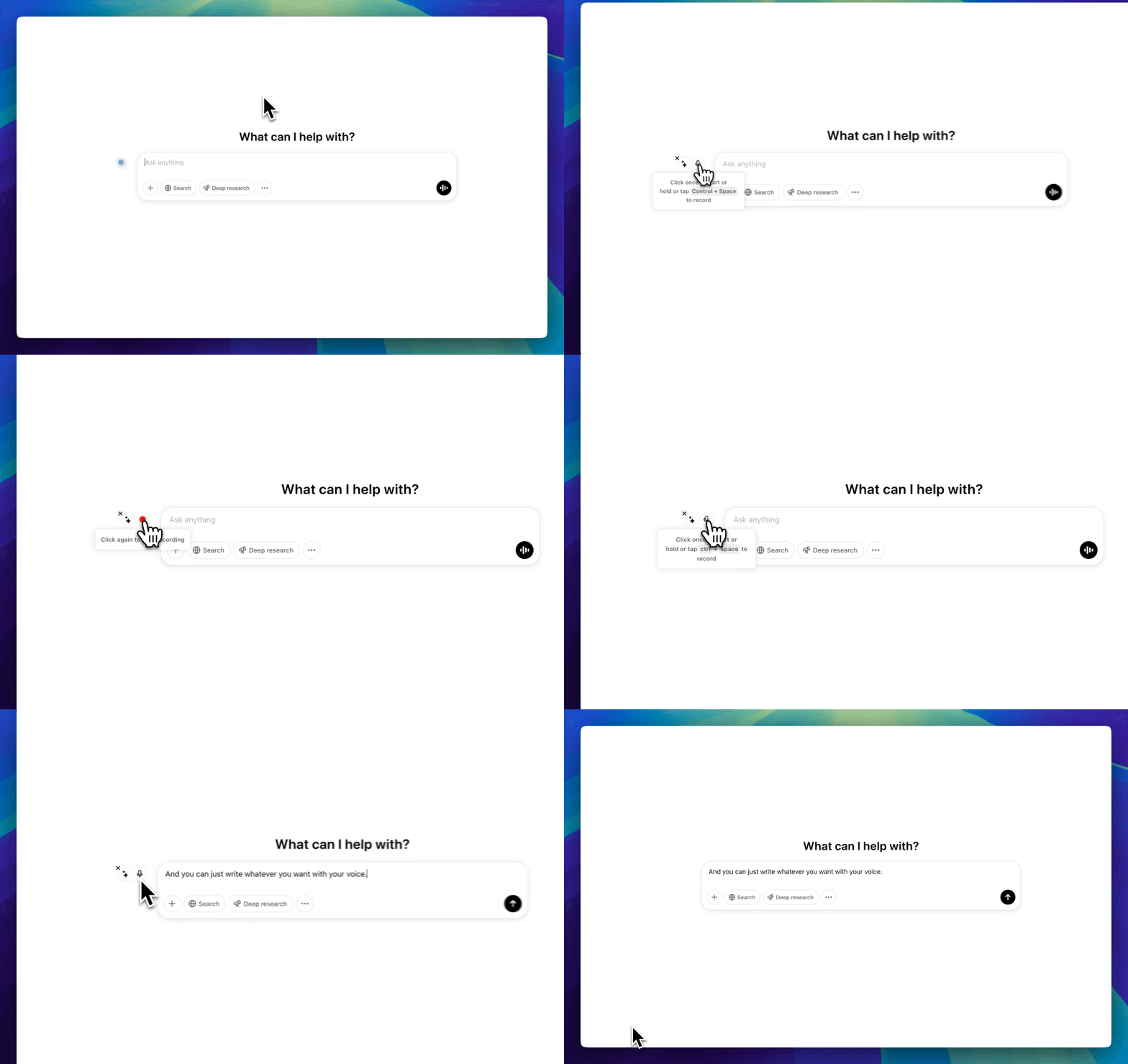
During setup, choose a keyboard shortcut to start and stop your recordings.
It is the easiest way to use dictation on your computer.

Step 3
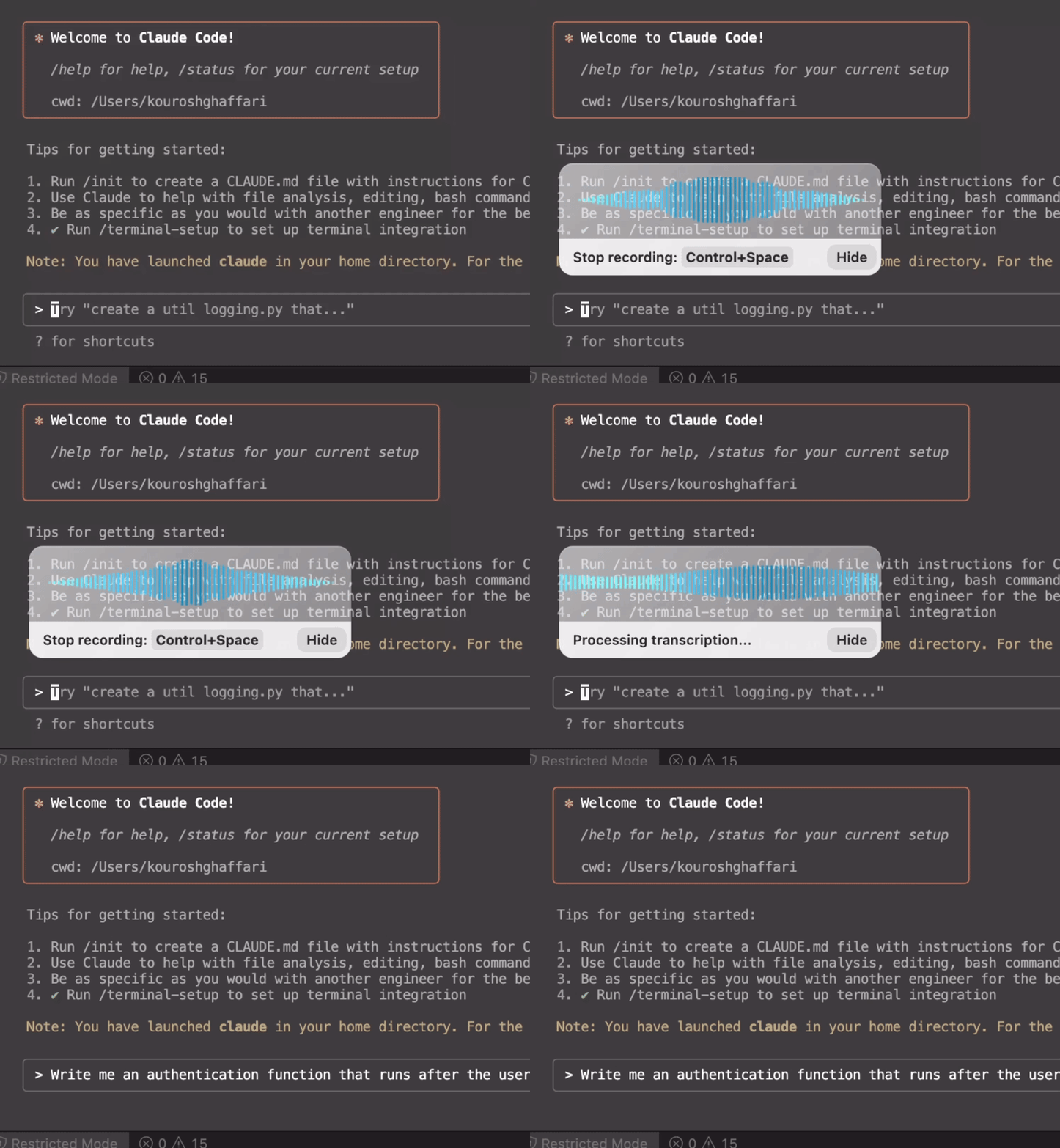
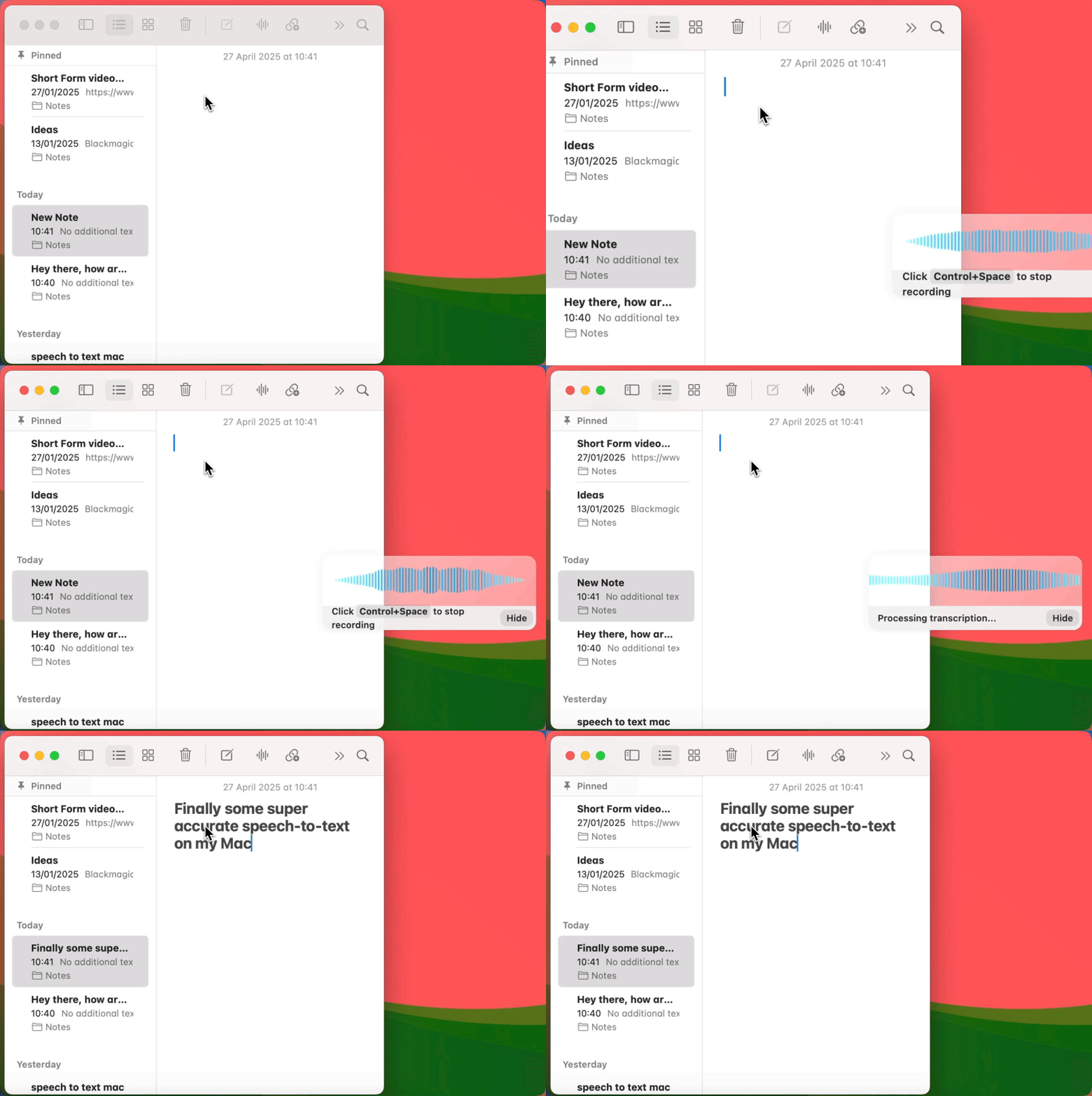
Once Voicy is installed, you can dictate into text fields across your computer, including apps and websites.
Voicy works on all the websites and apps you use daily. This means you can use voice typing to write emails, messages, documents, blog posts, etc.This means your voice can write emails, messages, documents, blog posts, etc.
















Nobody sees your transcripts except yourself.
You can read more about our privacy policy here.
Voicy automatically adds perfect punctuation to your dictated text.
Zero typos, perfect grammar, perfect punctuation.
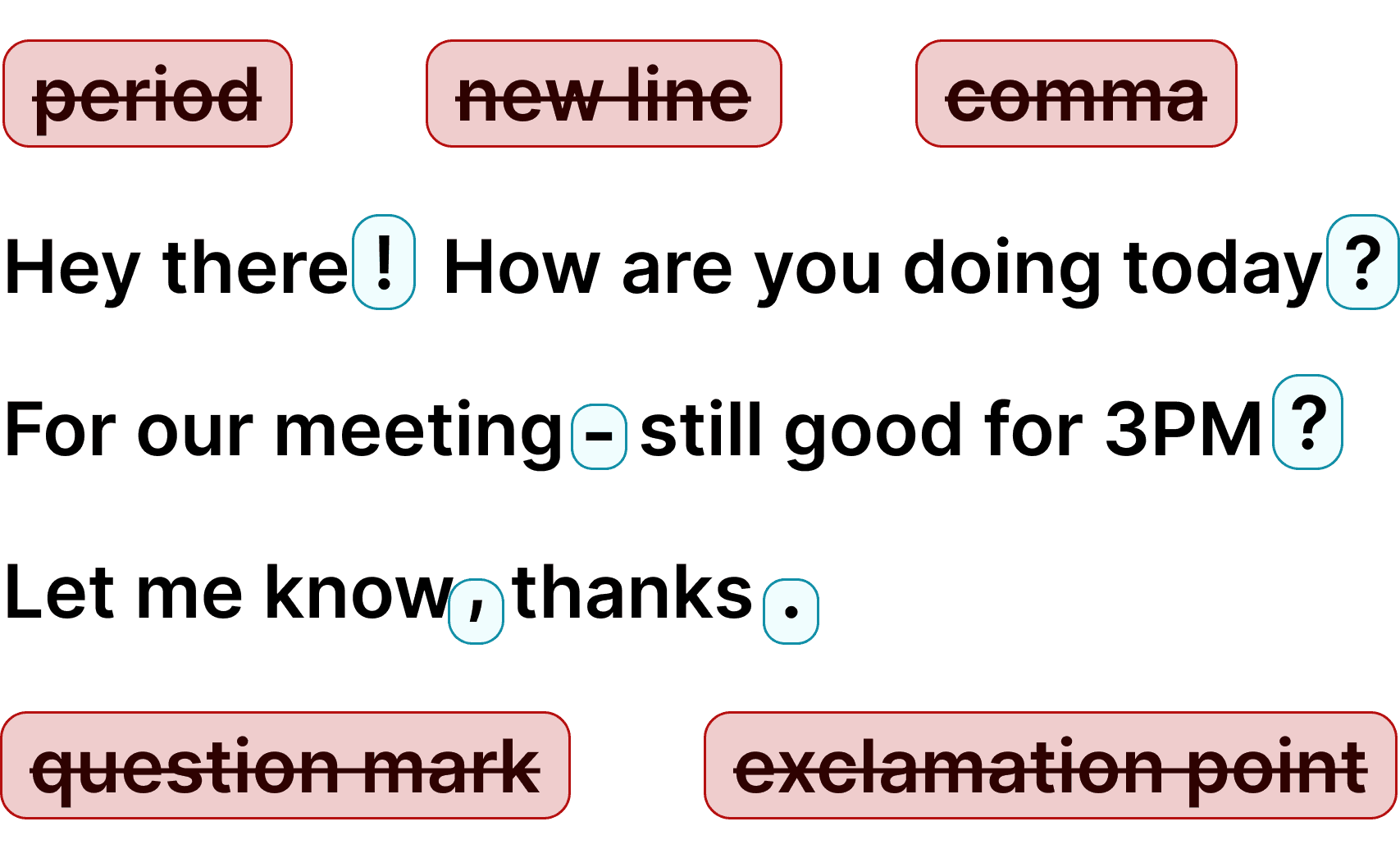
Voicy gives you over 99% accuracy in more than 50 languages, including speech-to-text in English, German, French, Spanish, Portuguese, Mandarin, etc.Over 99% accuracy in more than 50 languages, including speech to text in English, German, French, Spanish, Portuguese, Mandarin, etc.
Voicy adds speech to text to your Mac, allowing you to dictate in the apps you use, including Outlook, Microsoft Teams, Word, Google Docs, and browsers. Enjoy over 99% accuracy and fast transcriptions wherever you're working.
Simply start the Voicy speech-to-text mac app and click on the keyboard shortcut to record yourself. Once you're done, your dictated text will appear in any app that you're in. Voice dictation in your mac has never been easier! If you need more help, check out this guide on how to use speech-to-text on your Mac.
Apple used to offer a state-of-the-art speech recognition service on its Mac devices, but times have changed. Thanks to developments in the AI space, we now have far more accurate and fast voice to text models.
Voicy focuses on making speech to text useful across the apps where you write every day, with automatic punctuation and a keyboard shortcut.
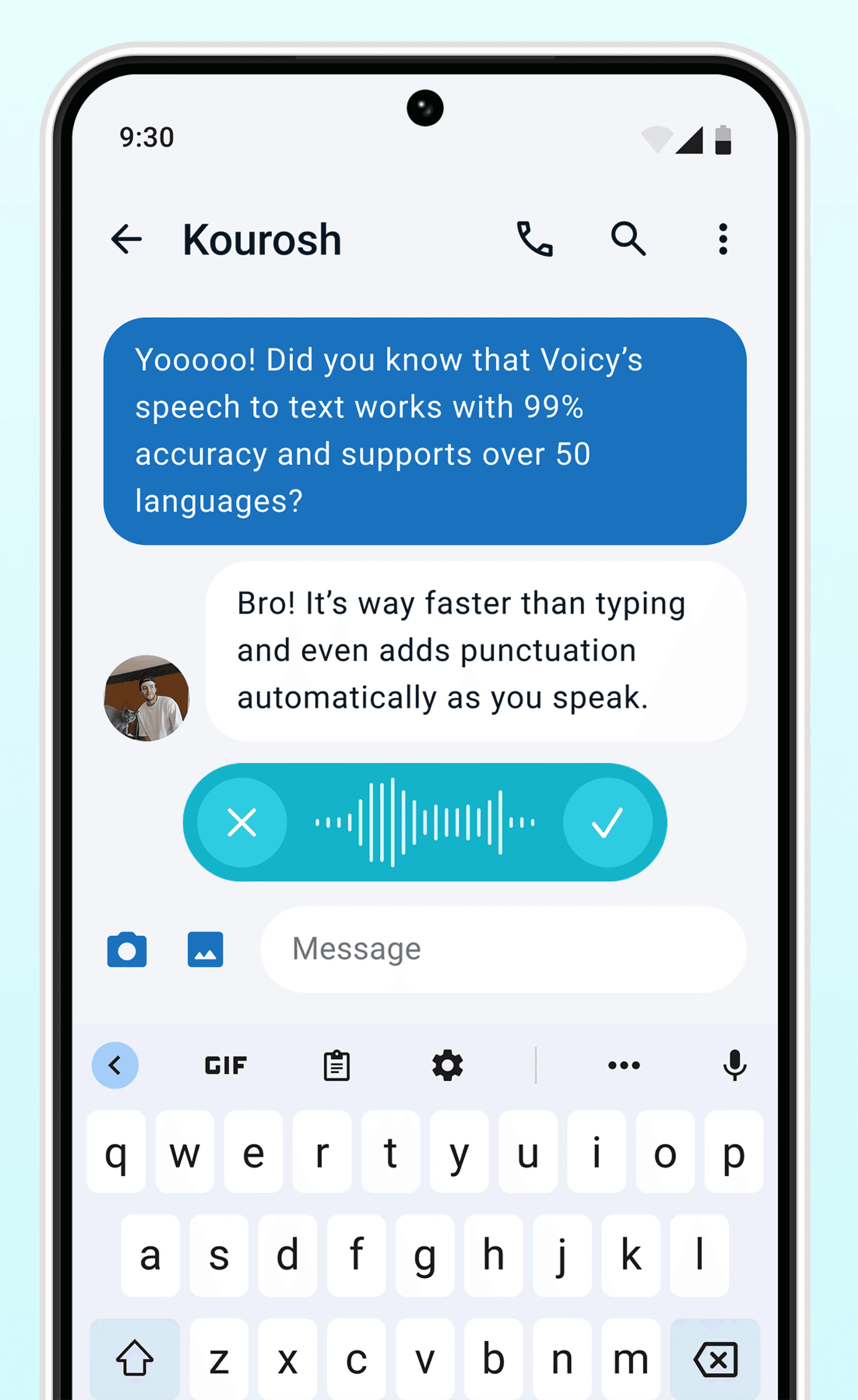
Dictation on Android & iPhone
Never use Apple's or Android's annoying dictation again. Perfect dictation, 4x faster than typing.
Emails



 & more
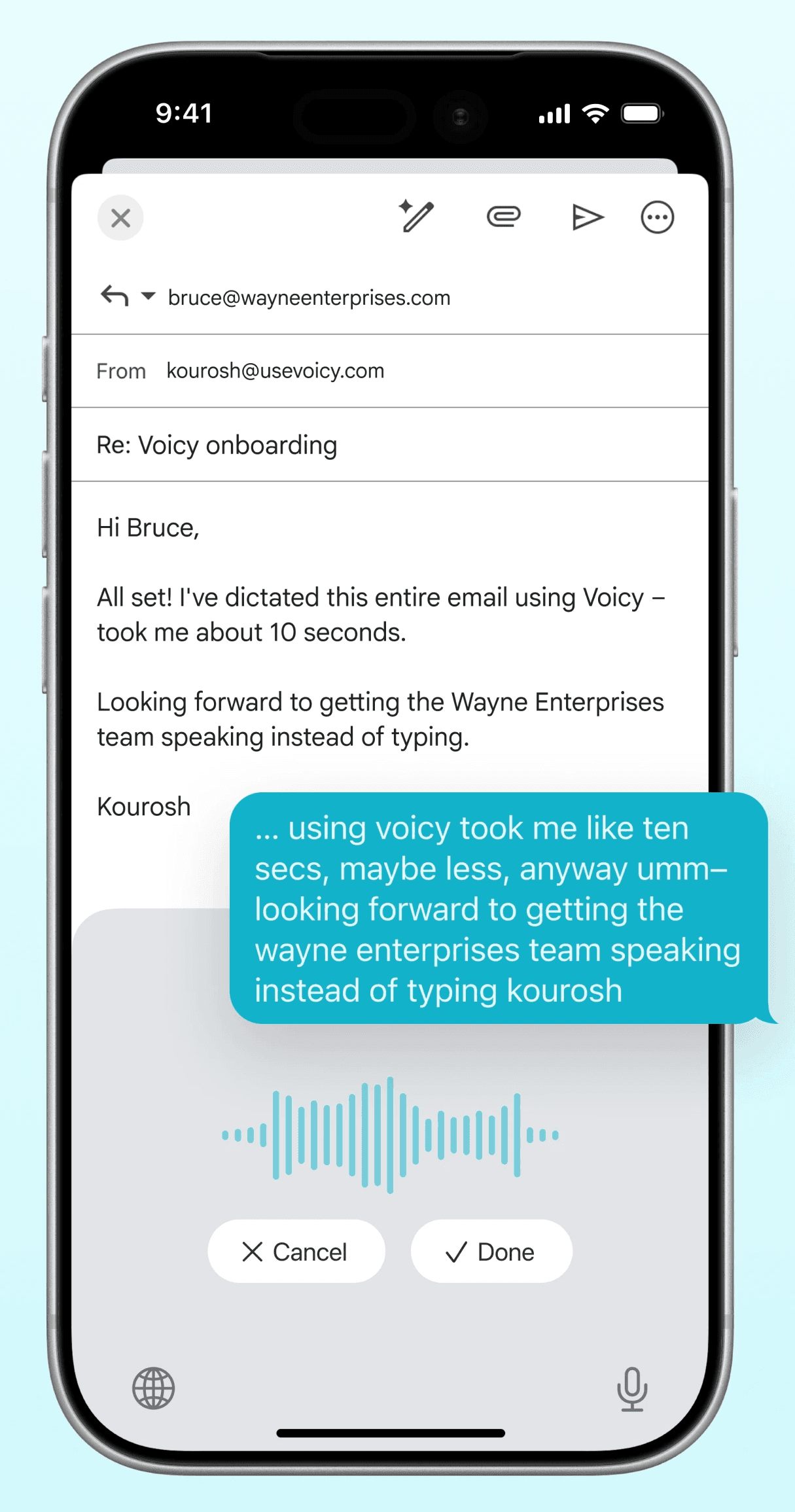
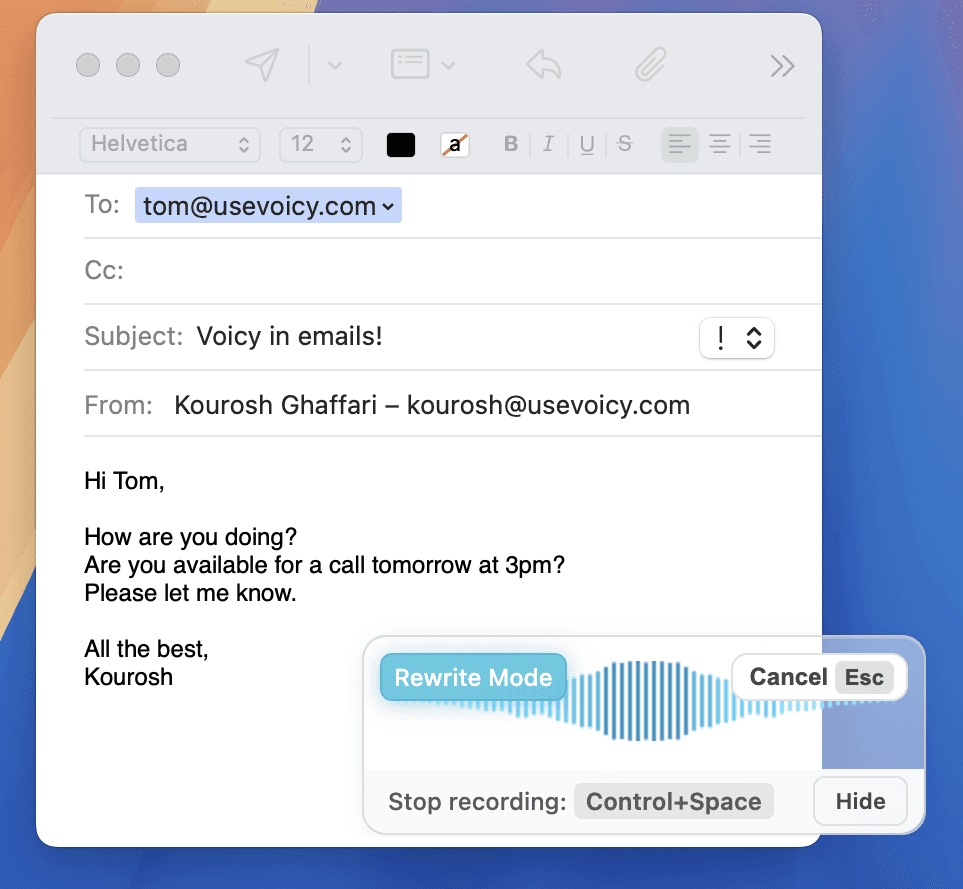
Dictate emails in every email app with Voicy. Write emails up to 4x faster with your voice thanks to:
Writing & Documents




 & more
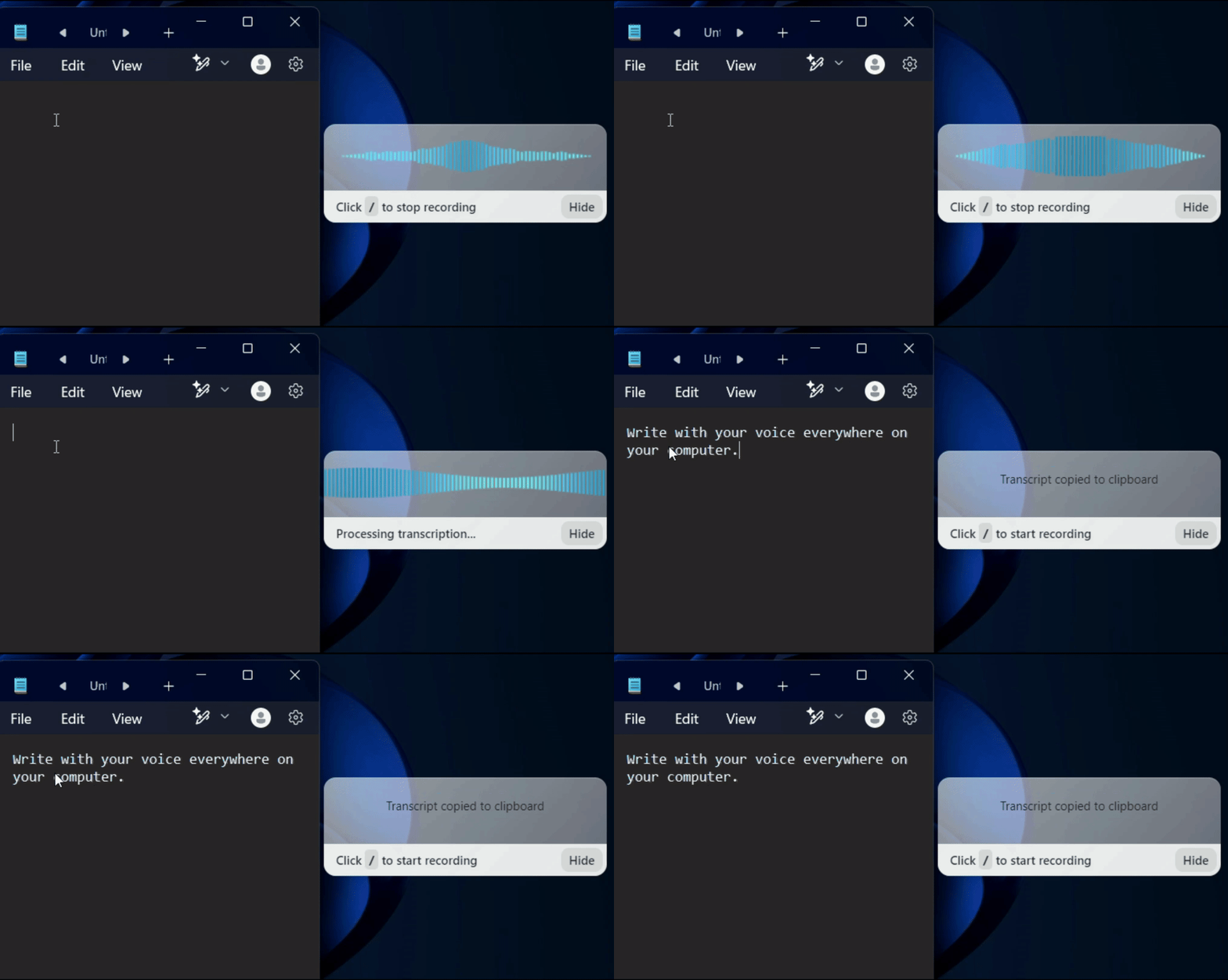
Speech-to-text for all your documents, notes, and writings. Get your thoughts on paper faster with:
Chats, team communication, AI prompts





 & more
Whether you're chatting with friends on WhatsApp, your colleagues on Slack or Teams, or your favorite AI on ChatGPT, Gemini, Claude, etc., dictate your messages with Voicy.
Coding, terminals, vibe-coding



 & more
Use dictation in your TUI for commands, Claude Code, or Codex. Or voice-type in your favorite IDE for some fun coding (the vibe is optional)
Our price will never be more than 20% above our total costs.
See if you like Voicy
Start for free. No credit card required.
For the everyday user
$8.49/month
Pay once, use forever
$260
Speed up your entire org
$6.79/user/mo
Yes. Apple Dictation is usable for short notes, but Voicy is built for people who need cleaner speech to text for real work on Mac. It is better at punctuation, longer dictation, accents, and everyday writing across apps, so you spend less time cleaning up the draft afterward.
The most common causes are blocked microphone permissions, the wrong input device, low mic volume, or Apple Dictation not being enabled correctly in System Settings. If Mac dictation still feels unreliable after that, many users switch to Voicy because it gives them a more dependable speech to text workflow for longer writing sessions.
No. Voicy does not store your recordings or transcriptions. Speech is processed in the cloud and discarded after transcription.
On Mac, you can turn on Apple's built-in dictation in System Settings and start it with the Fn key or your configured shortcut. With Voicy, you install the Mac app, choose a shortcut once, and then dictate directly into Word, Google Docs, Gmail, Slack, Notion, and other text fields with cleaner punctuation and better accuracy.
Speech to text, also called voice dictation or voice typing, converts your spoken words into written text.
Yes. Voicy works on modern Macs running macOS 13 or later, including MacBook Air, MacBook Pro, iMac, and Mac mini. It is designed for people who want a better Apple Dictation alternative across both desktop apps and browser-based workflows.