
Speech to Text in Google DocsSpeech-to-Text in Google Docs
Add dictation to your Google Docs with the Voicy app. Easily write documents with your voice. +99% accuracy in 50 languages.
Over 99% accuracy in 50 languages
3x faster than typing emails
Automatic punctuation powered by AI
Over 99% accuracy in 50 languages
3x faster than typing emails
Automatic punctuation powered by AI
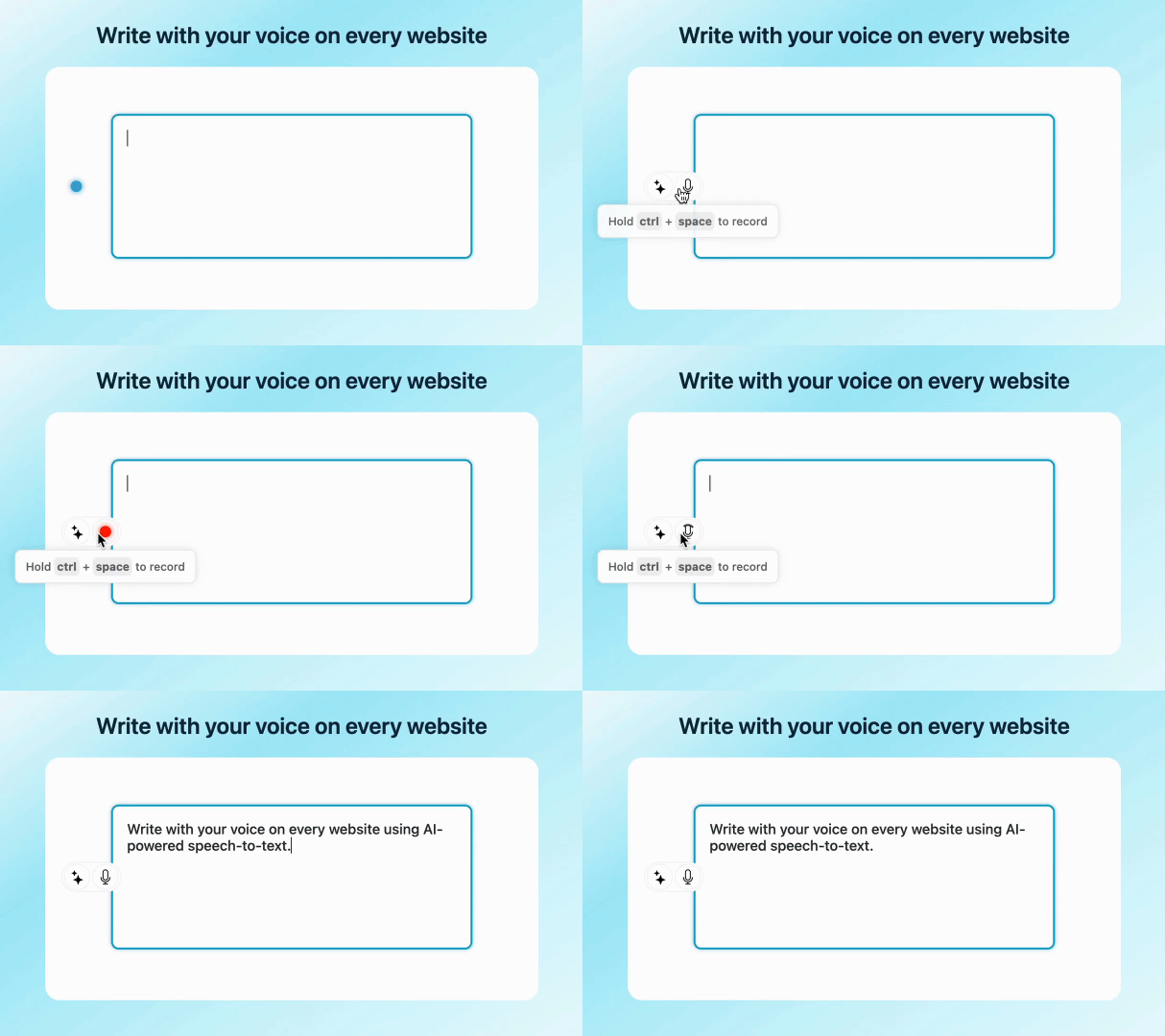
See how it works
Speech to Text in Google Docs
Voicy lets you use speech to text in Google Docs with cleaner punctuation, better cross-app workflows, and support beyond the built-in Google Docs voice typing tool. You can dictate naturally in docs, then keep using the same setup in Gmail, forms, notes, and other browser tabs.
- Works in desktop apps and browsers
- Supports punctuation and voice commands
- Built for dictation across your Windows workflow
How to add speech to text in Google Docs (Quick Guide)
Or watch the Youtube video
Step 2
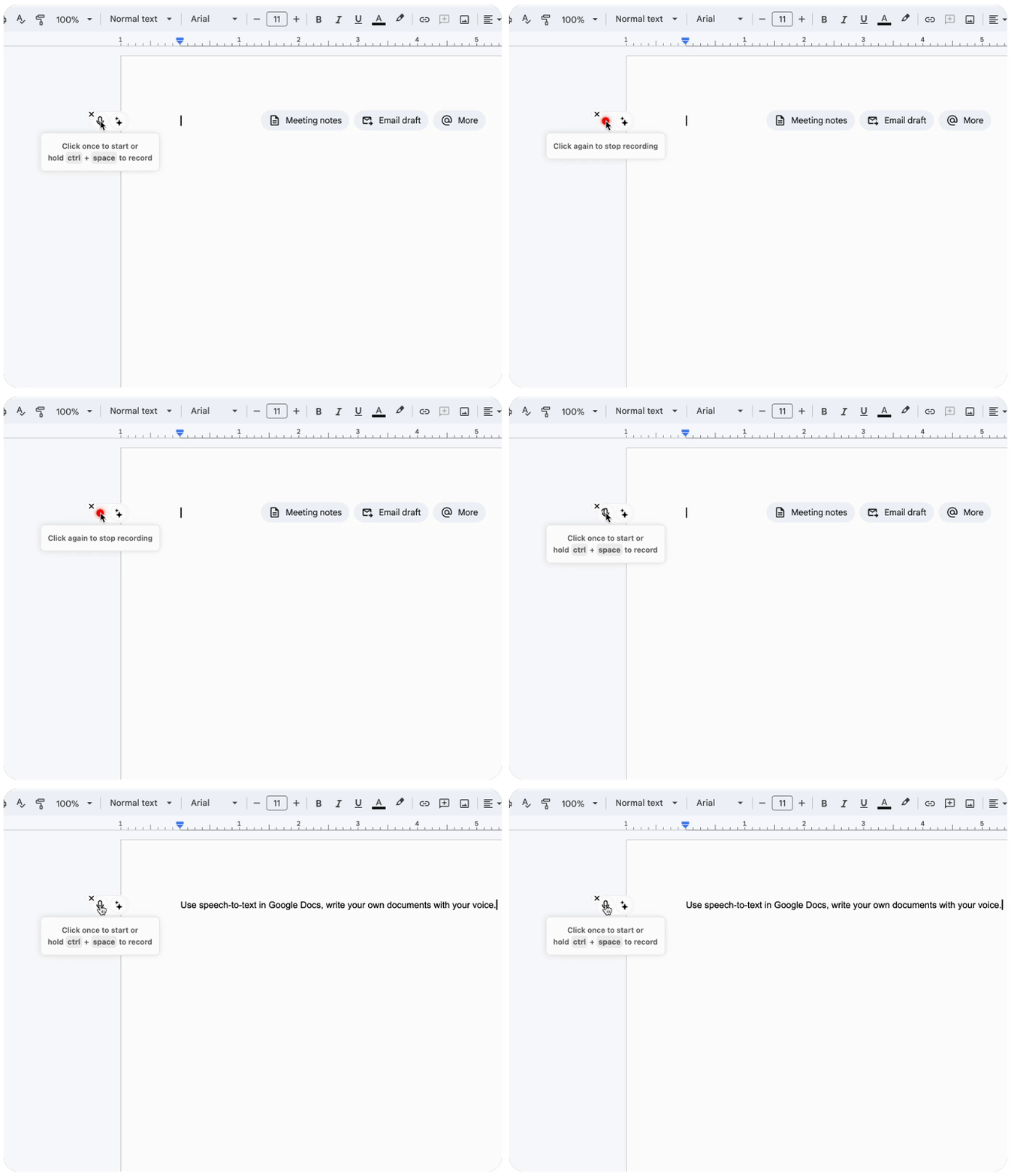
Open a new document on Google Docs
If you have the desktop app, you simply need to click your keyboard shortcut to record.
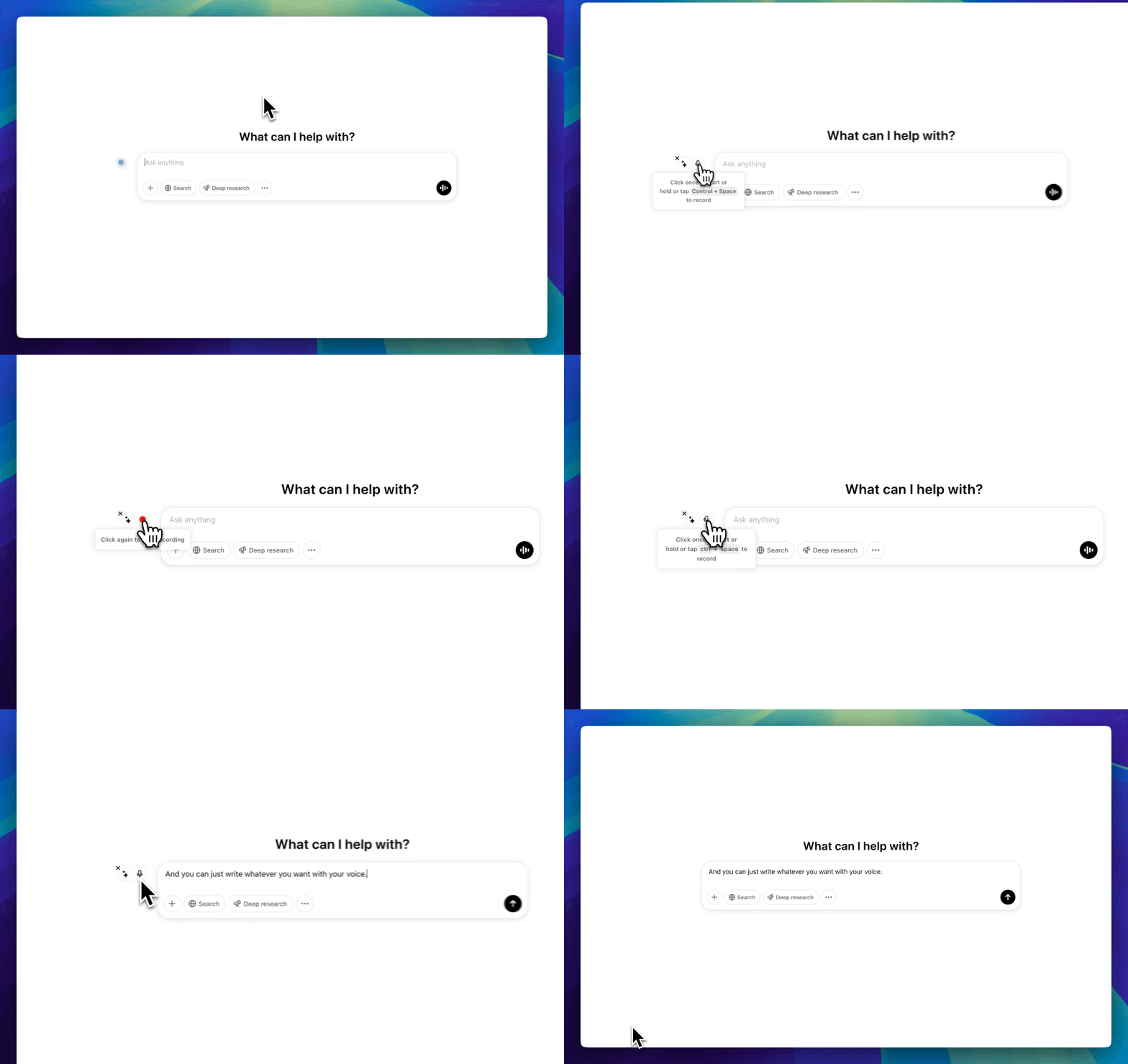
The Voicy element will now show up next to your Google Doc.
Hover over the blue dot with your mouse to expand the element. You now have AI-powered voice dictation ready to go right inside Google Docs. No extra tabs, no copy-pasting.
Step 3
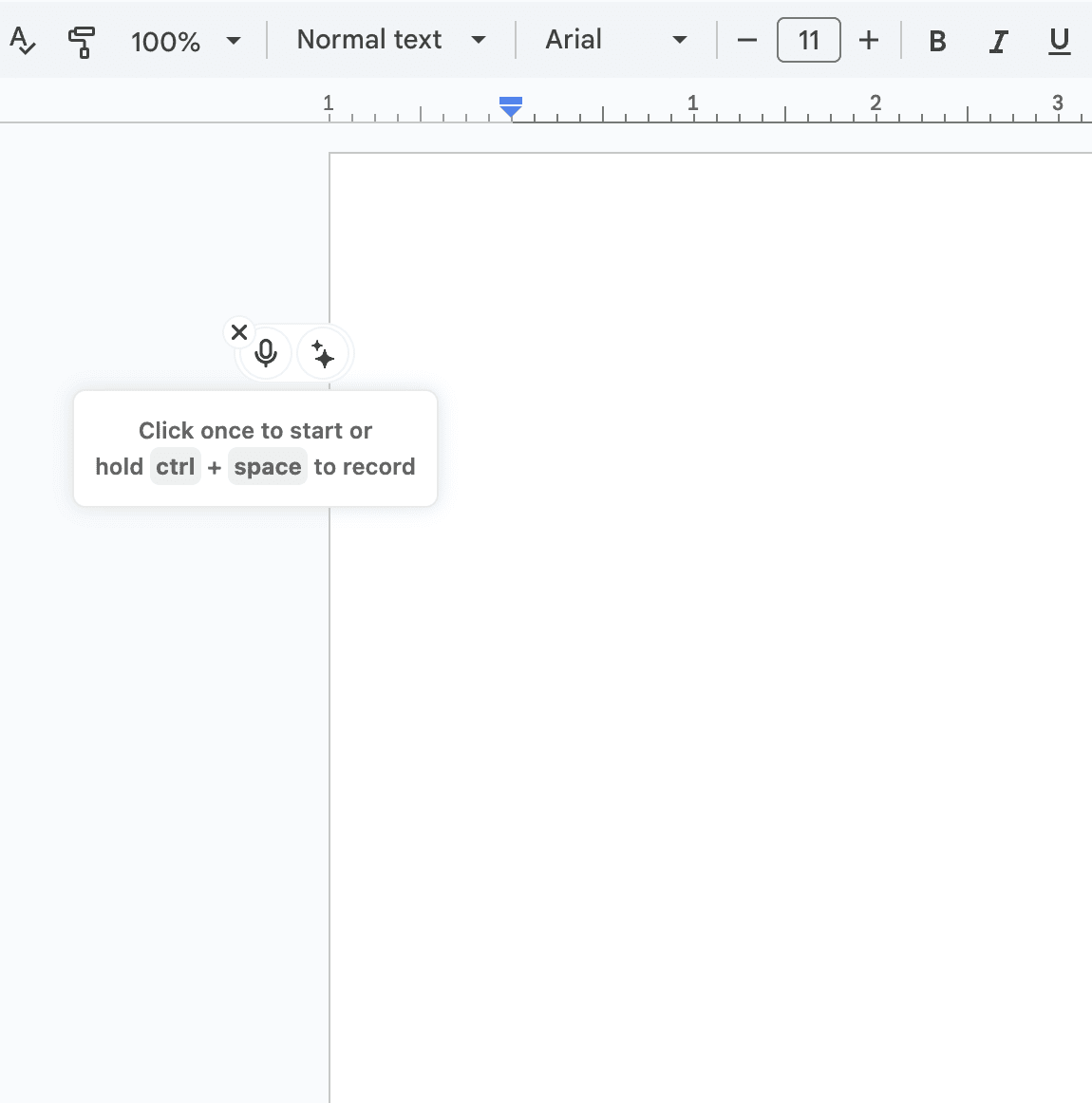
Start dictating your document to Voicy
Clicking on the microphone will start the speech-to-text recording for you. Once you are done talking, click on the microphone again to stop. Your dictated sentences will now show up in your doc.

CL Cobb
★★★★★
I've tried other products like it, and, so far, Voicy is the most user-friendly, and it really improves my workflow.

Pam Lang
★★★★★
This is the tool that I was looking for. It is amazing. I've gotten so lazy about typing anywhere. Thank you, thank you, thank you for this product!

Steve Moore
★★★★★
Voicy is an absolute game-changer! This voice-to-text extension delivers exceptional accuracy, capturing my words perfectly every time. The speed is impressive.

Victor Rodriguez
★★★★★
Almost instant replies from the creator, great support great app!

Crystal Willis
★★★★★
I love Voicy!! The extension and the desktop app have saved me so much time. I have tried several different voice-to-text apps. None of them compares to Voicy!
Works everywhere
Voicy works on all the websites and apps you use daily. This means you can use voice typing to write emails, messages, documents, blog posts, etc.This means your voice can write emails, messages, documents, blog posts, etc.
















Privacy First
Nobody sees your transcripts except yourself.
You can read more about our privacy policy here.
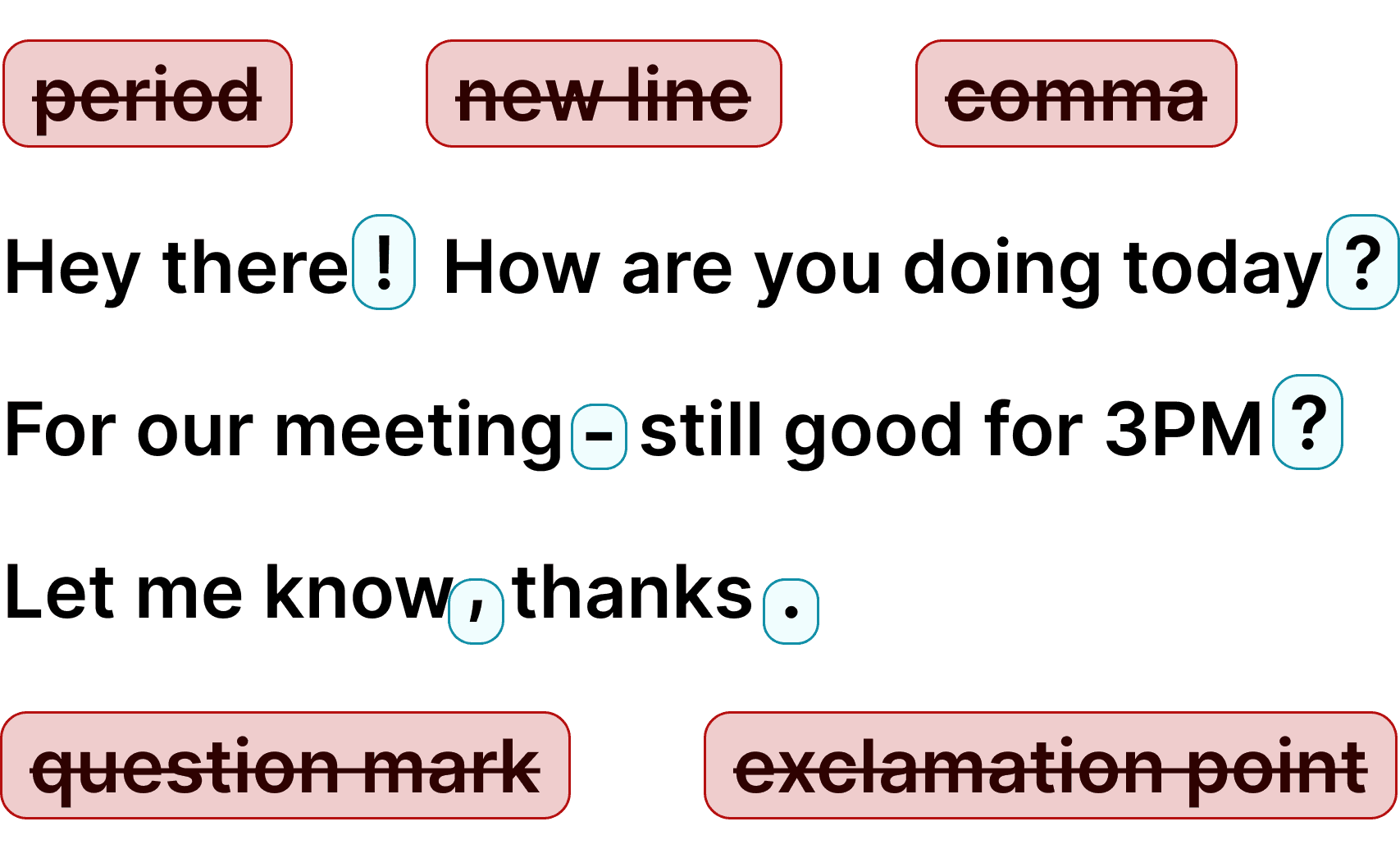
Automatic Punctuation
Voicy automatically adds perfect punctuation to your dictated text.
Zero typos, perfect grammar, perfect punctuation.
+50 languages
Voicy gives you over 99% accuracy in more than 50 languages, including speech-to-text in English, German, French, Spanish, Portuguese, Mandarin, etc.Over 99% accuracy in more than 50 languages, including speech to text in English, German, French, Spanish, Portuguese, Mandarin, etc.
The benefits of using Dictation in Google Docs
Write documents 3x faster
Voice dictation lets you compose at 150 words per minute instead of 40.
Here's a simple example:
A 4000-word document takes 100 minutes to type by hand.
With Voicy's speech to text it takes about 30 minutes.
Zero typos and perfect punctuation.
Privacy-first dictation that works everywhere
Voicy is a desktop app that works on Mac and Windows.
This means it can work inside the Google Docs app or on the Google Docs website in any browser.
Privacy-focused by design
Voicy doesn't store any of your recordings or transcripts.
Nobody can see what you write with Voicy.
Your data is never used to train any AI or sold to third parties.
We take privacy seriously.
Dictation on Android & iPhone
Voicy on Mobile
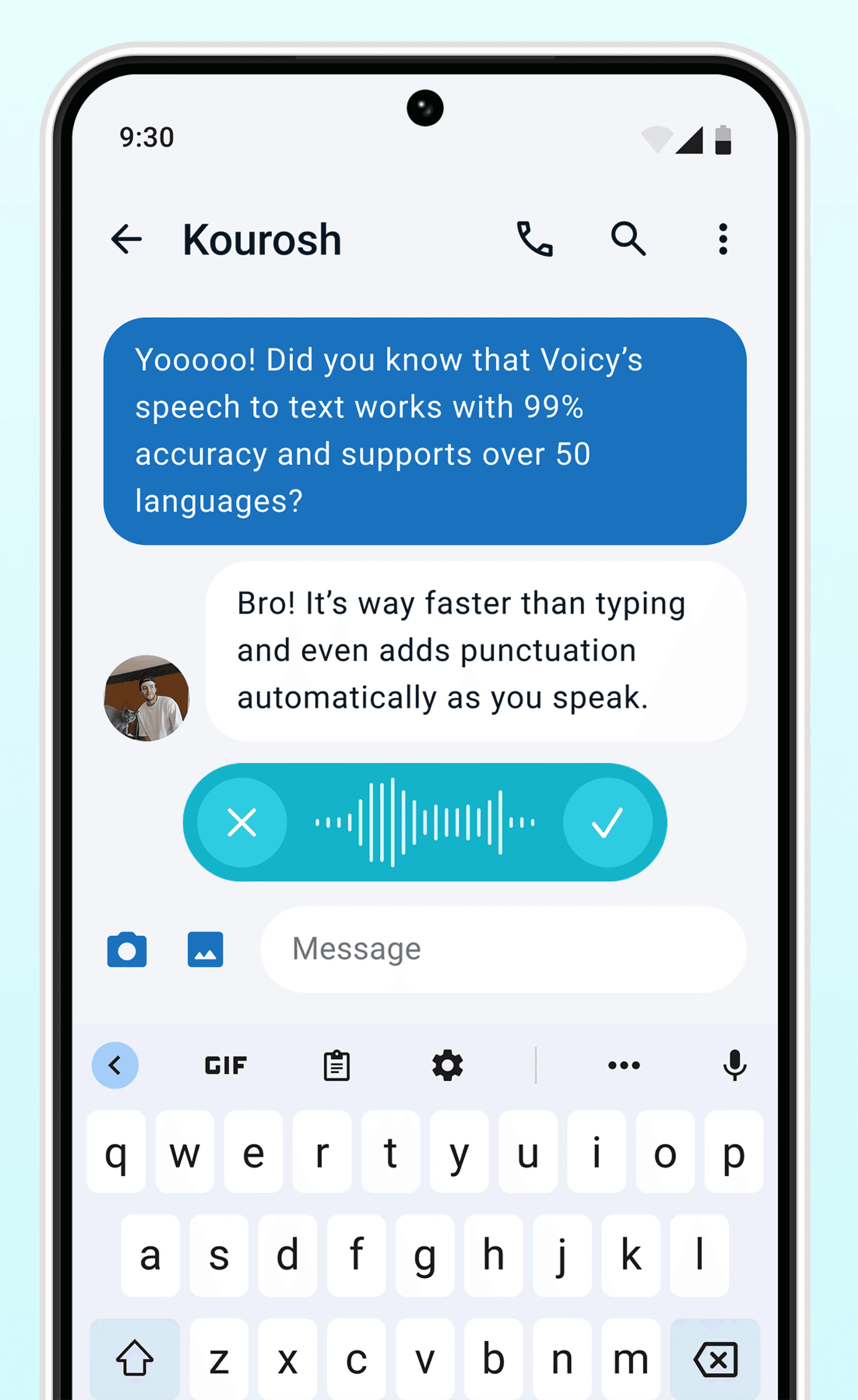
Never use Apple's or Android's annoying dictation again. Perfect dictation, 4x faster than typing.
- 99% accuracy in 50 languages
- Works in every app on Android & iOS
- Automatic formatting and punctuation
Where people dictate with Voicy
Emails
Voice-typing Emails



 & more
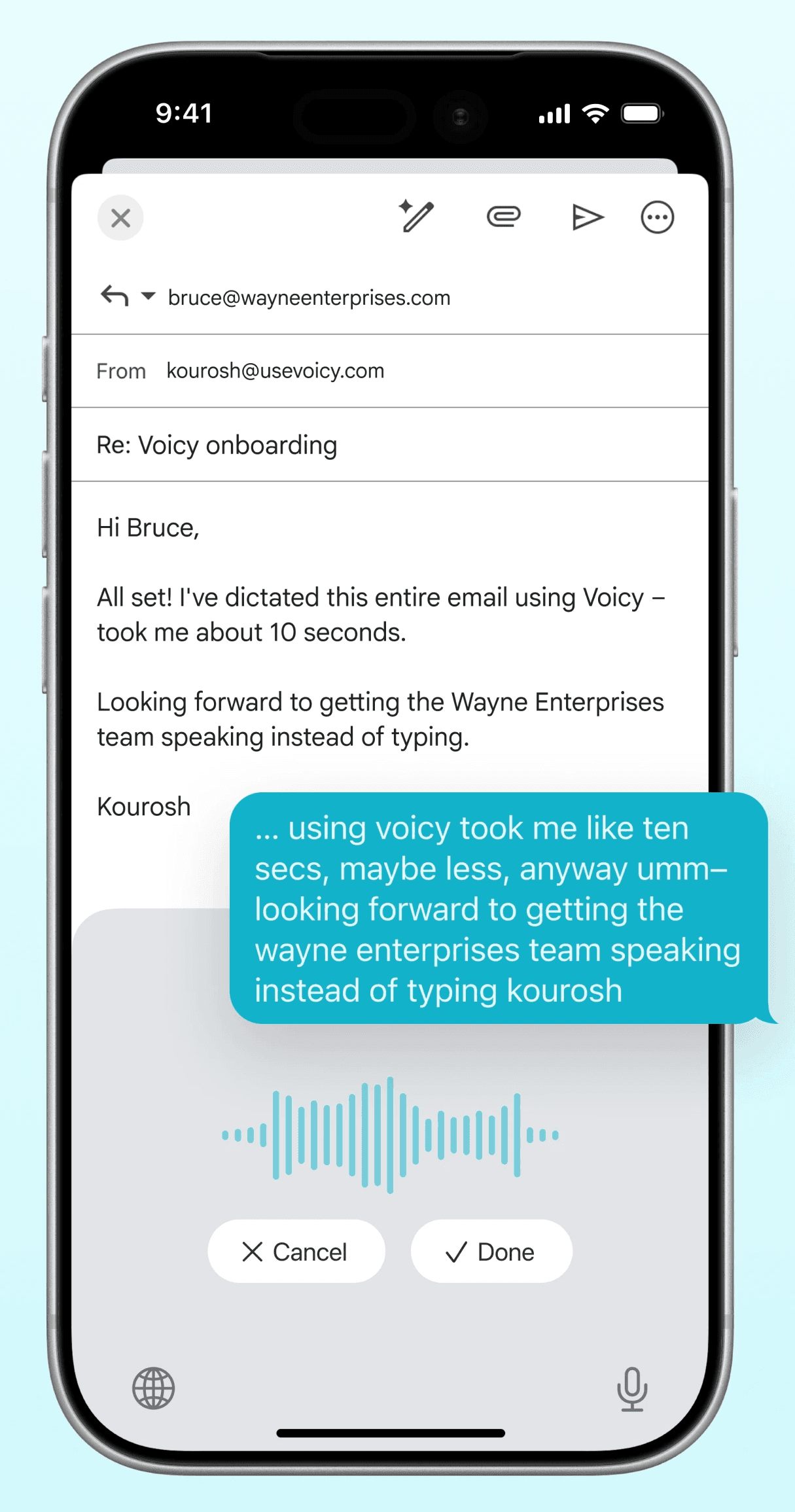
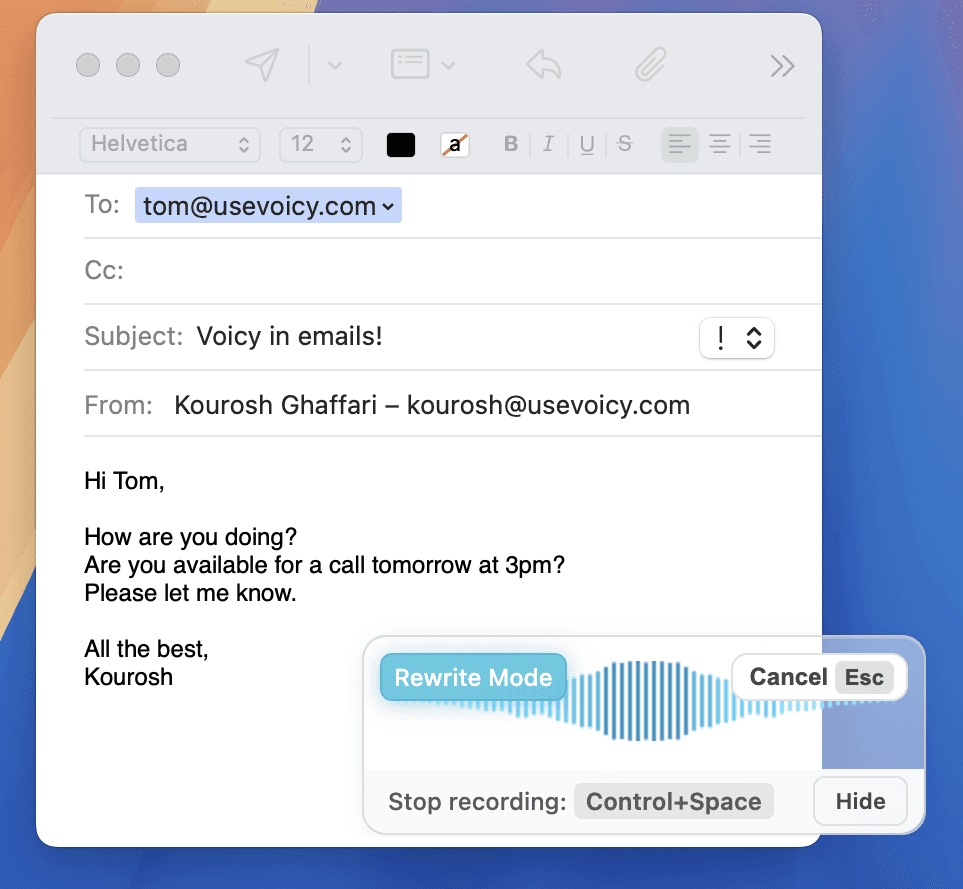
Dictate emails in every email app with Voicy. Write emails up to 4x faster with your voice thanks to:
- 99% accuracy in 50 languages
- Automatic punctuation + formatting
- AI rewriting for professional emails
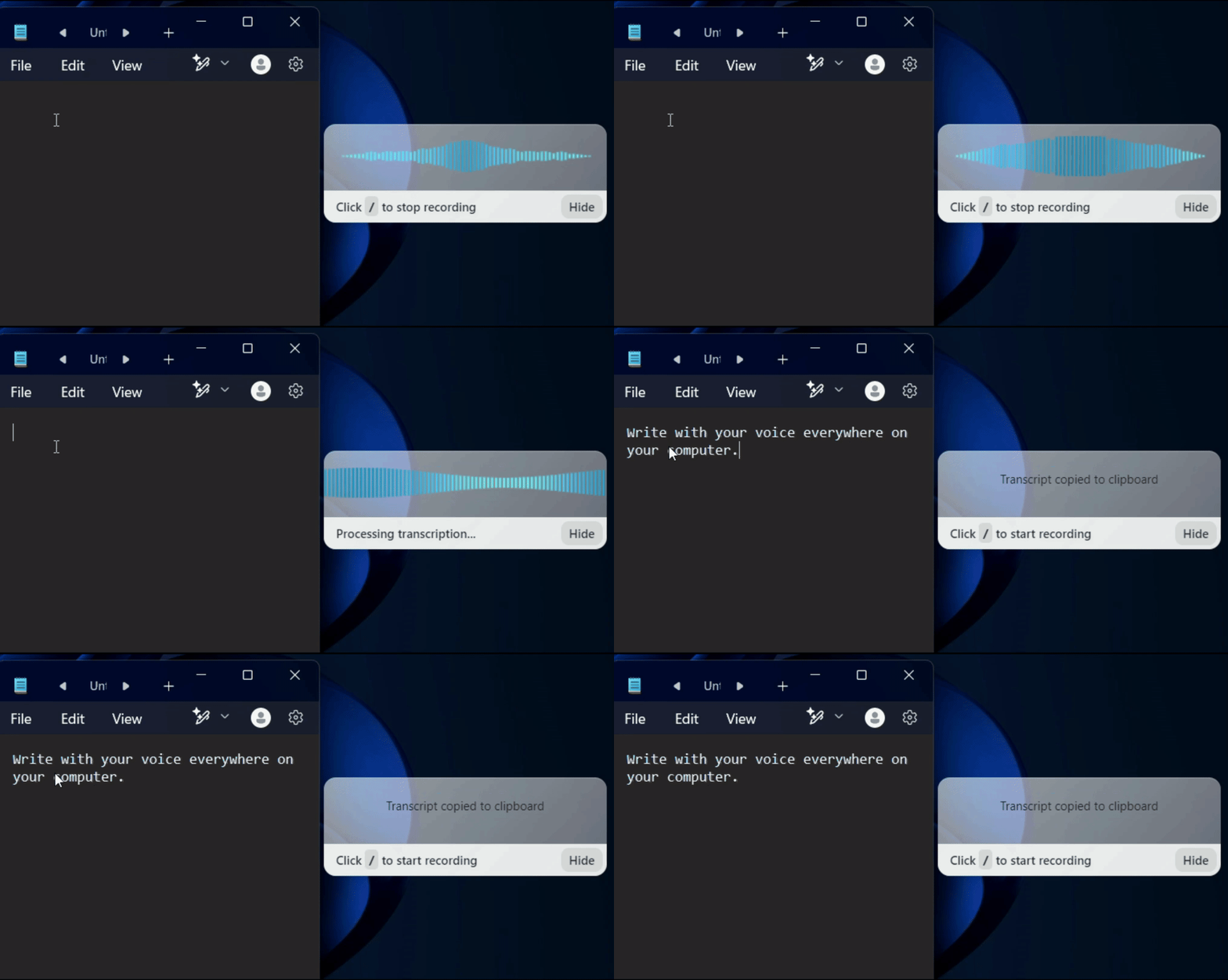
Writing & Documents
Dictating Documents


 & more
Speech-to-text for all your documents, notes, and writings. Get your thoughts on paper faster with:
- Near-perfect accuracy in 50 languages
- AI rewriting & editing
- Automatic cleanups and punctuation
Chats, team communication, AI prompts
Speech-to-text in all chats (Humans or AI)




 & more
Whether you're chatting with friends on WhatsApp, your colleagues on Slack or Teams, or your favorite AI on ChatGPT, Gemini, Claude, etc., dictate your messages with Voicy.
- 99% accurate in 50 languages
- Lightning-fast dictation
- AI rewriting & editing
Coding, terminals, vibe-coding
Talk to your terminal, or code in your IDE




 & more
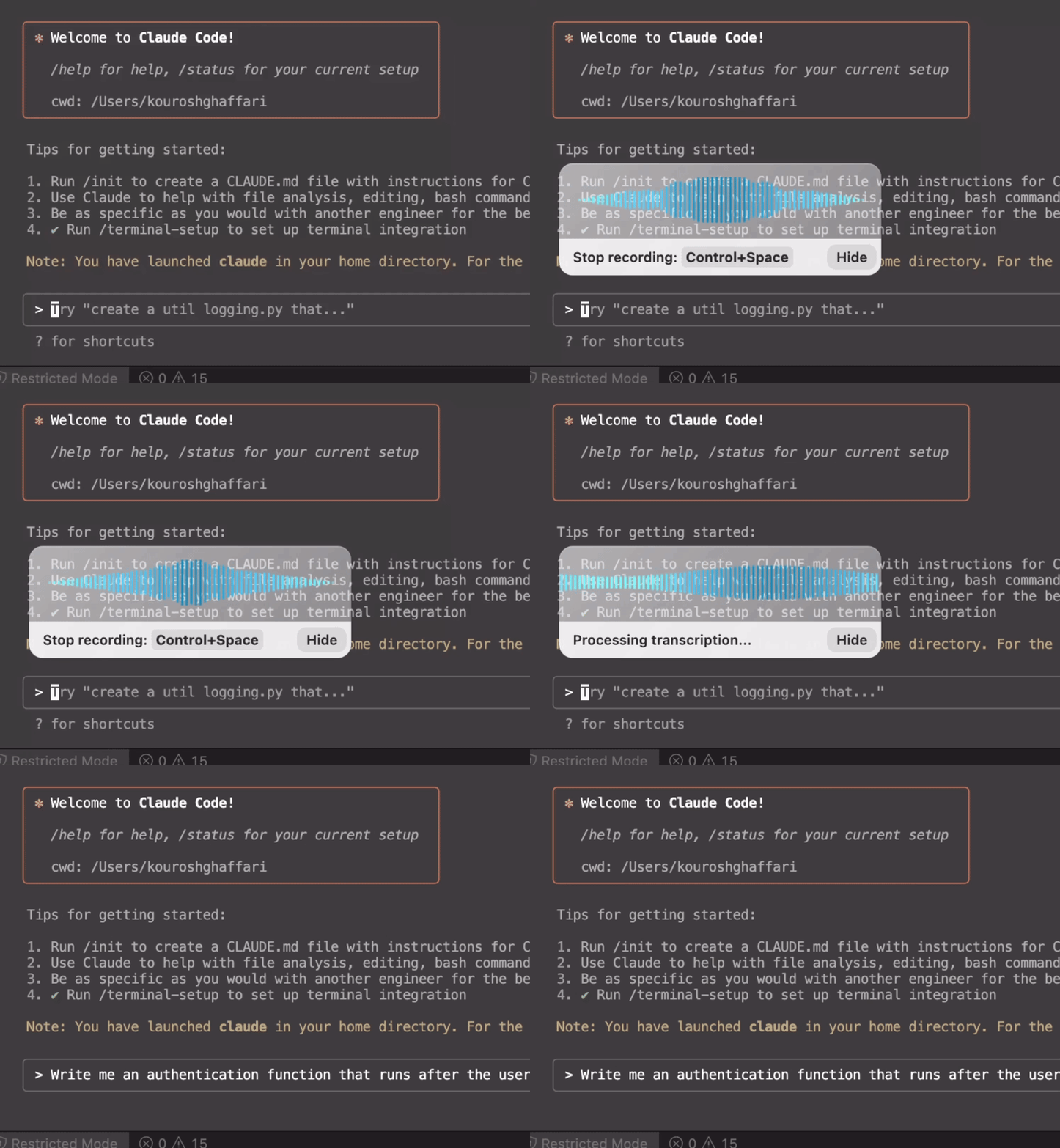
Use dictation in your TUI for commands, Claude Code, or Codex. Or voice-type in your favorite IDE for some fun coding (the vibe is optional)
- Works in all terminals and IDEs
- Write longer & better prompts in half the time
- Understands coding terminology
Best way to voice type in Google Docs daily
Whether you call it Google Docs speech to text, Google Docs voice typing, speech recognition in Google Docs, or voice to text in Google Docs, Voicy is built for daily writing. If you want to voice type on Google Docs for essays, notes, reports, or client work, it gives you cleaner punctuation and less cleanup than the built-in tool.
Apart from speech-to-text, Voicy also gives you AI commands everywhere. You can speak a prompt like "rewrite this paragraph to sound clearer" or "turn these notes into bullet points" without leaving Google Docs. That means you can dictate, edit, format, and polish the same document faster instead of bouncing between tools.
Why Google's own voice typing is falling behind
Google Docs has a built-in voice typing tool in Tools → Voice typing, and it works for quick notes in desktop Chrome. But if you want to voice type in Google Docs for longer documents, meeting notes, essays, or collaborative drafts, the missing punctuation and stop-start workflow slow you down fast. Voicy gives you cleaner dictation and a smoother upgrade path.
Recent AI speech recognition models are much better at context, punctuation, and accents than older dictation systems. That means fewer cleanup edits and speech recognition in Google Docs that feels dependable for daily work. It is why people who need reliable Google Docs voice to text usually move from the built-in tool to Voicy.
FAQ
Is Voicy better than Google Docs Voice Typing?
If you only need quick built-in dictation, Google Docs Voice Typing is fine. Voicy is better for real writing work because it adds punctuation automatically, handles longer dictation more cleanly, and lets you rewrite or format text with AI voice commands instead of fixing everything by hand afterward.
Is Google Docs speech to text free?
Google Docs has a built-in voice typing feature, but Voicy itself is not a free product. Voicy includes a free trial so you can test the full Google Docs speech to text workflow before paying, and paid plans start at $8.49/month.
Do you see what I write with Voicy?
No. Voicy does not store your recordings or transcriptions, and your data is never sold or used to train AI models. That makes it a safer choice when you use speech to text in Google Docs for client work, schoolwork, or private notes.
How do I voice type in Google Docs with Voicy?
Install the Voicy Chrome extension, open a Google Doc, and start dictating with the Voicy microphone or keyboard shortcut. Voicy types directly into your document with automatic punctuation, cleaner formatting, and a smoother workflow than the built-in Google Docs voice typing tool.
Can I voice type on Google Docs without Google's built-in tool?
Yes. You can use Voicy's Chrome extension or desktop app to voice type on Google Docs instead of relying on Google's built-in Voice Typing tool. That gives you better punctuation, cleaner first drafts, and a more reliable workflow for longer writing sessions.
What is the best speech to text for Google Docs?
For occasional dictation, Google Docs Voice Typing may be enough. For daily writing, client work, essays, or longer drafts, Voicy is a stronger speech recognition option for Google Docs because you get better punctuation, cleaner first drafts, and voice commands for rewriting or formatting without leaving the document.
Why is Google Docs voice typing not working?
The most common causes are blocked microphone permissions, browser issues, the wrong input device, or Google Docs failing to detect your mic correctly. If Google Docs voice typing keeps stopping, dropping words, or forcing you to say punctuation out loud, Voicy gives you a smoother Google Docs speech recognition workflow for longer writing sessions.
Can I use Google Docs speech to text for essays, notes, and work documents?
Absolutely. Google Docs speech to text is useful for essays, meeting notes, work reports, blog drafts, client updates, and everyday writing. Voicy is especially helpful when you want those documents to come out cleaner on the first pass, with better punctuation, formatting, and fewer cleanup edits.