Step 1
Download the Voicy extension here
Voicy is a privacy-focused speech-to-text Chrome extension. It adds voice dictation to text fields across the internet, including Claude.
 Voicy
Voicy
Speech to Text in Claude
Voice-type prompts in Claude with 99%+ accuracy in over 50 languages.
3x faster than typing.
Edit and rewrite prompts with AI.
Try for free. No credit card required.

I've tried other products like it, and, so far, Voicy is the most user-friendly, and it really improves my workflow.

This is the tool that I was looking for. It is amazing. I've gotten so lazy about typing anywhere. Thank you, thank you, thank you for this product!

Voicy is an absolute game-changer! This voice-to-text extension delivers exceptional accuracy, capturing my words perfectly every time. The speed is impressive.

Almost instant replies from the creator, great support great app!

I love Voicy!! The extension and the desktop app have saved me so much time. I have tried several different voice-to-text apps. None of them compares to Voicy!
Step 1
Voicy is a privacy-focused speech-to-text Chrome extension. It adds voice dictation to text fields across the internet, including Claude.
Step 2
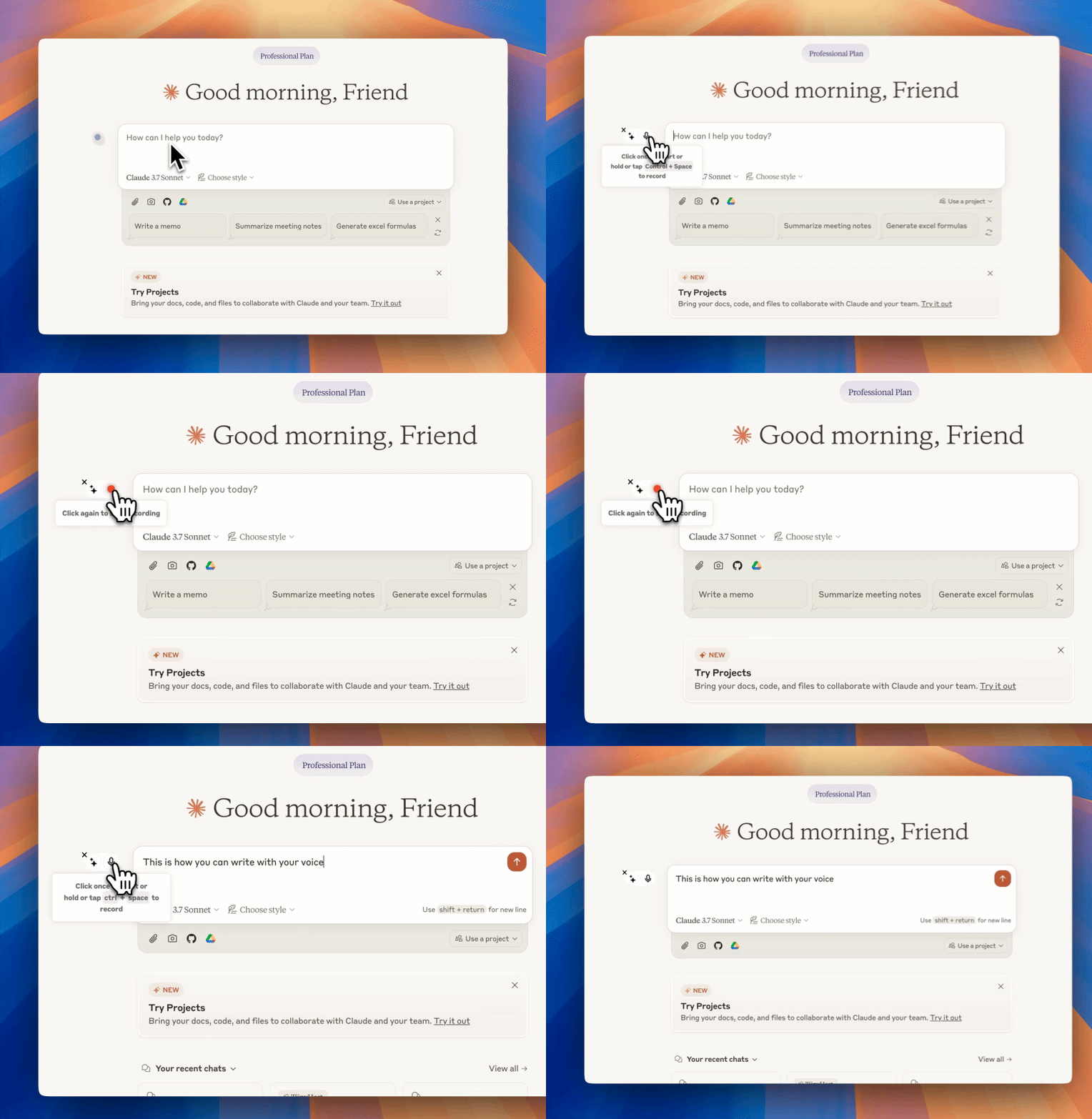
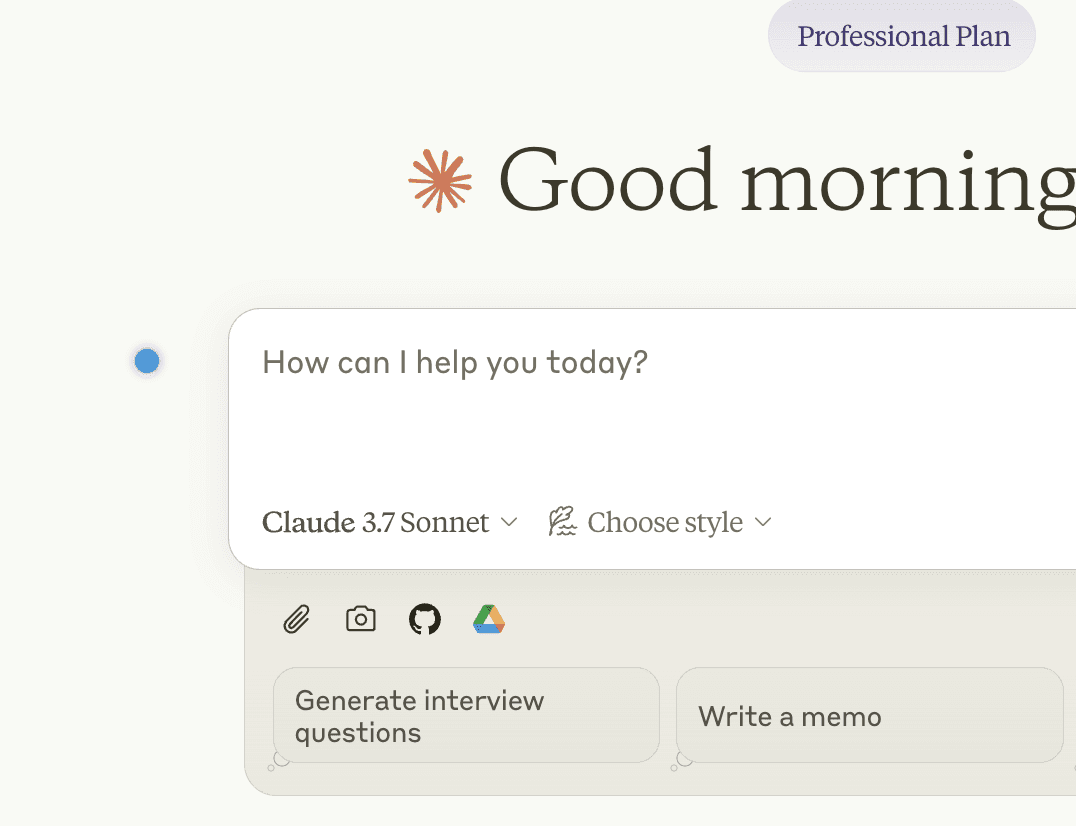
The Voicy element will show up next to your chat input. Hover over the blue dot to expand it.
You now have voice to text inside Claude.
Step 3
Click the microphone to start speech-to-text recording. When you are done talking, click it again to stop. Your dictated text will appear in the text field.
Voicy is a privacy-focused speech-to-text app.
It adds advanced AI dictation to Mac, Windows, browser workflows, iOS, and Android, while keeping your security and privacy in mind.
Nobody can read your transcripts or listen to your recordings.
We do not store your transcripts or recordings anywhere in our database.
Your transcripts are only stored on your device locally.
We do not use your recordings to train an AI model or for any other purpose. We do not store your transcripts or recordings at all.
Using speech recognition software increases your speed by an average of 2x. Get your thoughts on paper faster.
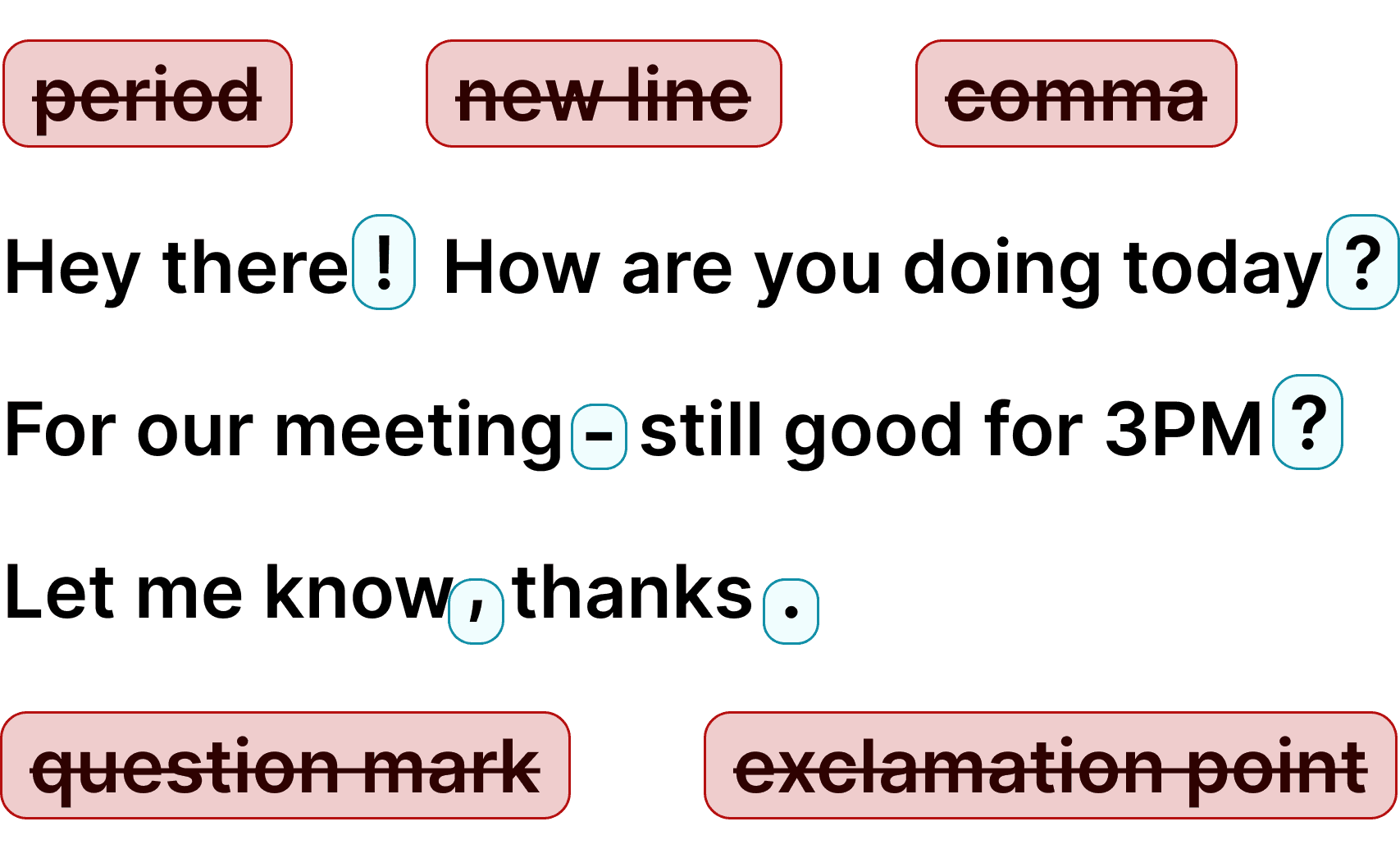
Voicy automatically adds perfect commas and punctuation to your transcription.
Writing with your voice creates more natural sounding, easier to understand text and documents.
Voicy also gives you direct access to ChatGPT through voice commands, wherever you are.
 Google Docs
Use Speech-To-Text inside Google Docs to write documents in half the time.
Read More Gmail
GmailAutomatic punctuation and formatting help you write perfect emails!
Read More Microsoft Word
Stuck on that first line to start your doc? Just speak it out and it's there.
Read More Outlook
Voicy works perfectly in all Outlook versions to help you dictate emails.
Read More WhatsApp
Are you a talker but know that nobody likes voice notes? Worry not, Voicy's got you!
Read More Claude and ChatGPT
Give AI the best possible prompt by using your voice. Better input leads to better output!
Read MoreVoicy works on all the websites and apps you use daily. This means you can use voice typing to write emails, messages, documents, blog posts, etc.This means your voice can write emails, messages, documents, blog posts, etc.














Nobody sees your transcripts except yourself.
You can read more about our privacy policy here.
Voicy automatically adds perfect punctuation to your dictated text.
Zero typos, perfect grammar, perfect punctuation.
Voicy gives you over 99% accuracy in more than 50 languages, including speech-to-text in English, German, French, Spanish, Portuguese, Mandarin, etc.Over 99% accuracy in more than 50 languages, including speech to text in English, German, French, Spanish, Portuguese, Mandarin, etc.
Claude is one of the most powerful AI assistants available — but typing out long, detailed prompts takes time. With Voicy's speech to text for Claude, you can dictate your prompts naturally and get them into Claude's chat in seconds. Whether you're brainstorming ideas, writing code instructions, drafting documents, or having complex conversations with Claude, voice typing lets you communicate faster and more naturally than typing ever could.
Voicy works as a Chrome extension that adds voice dictation directly into Claude's interface. No copy-pasting between apps, no switching windows — just press your keyboard shortcut and start talking. Voicy automatically adds punctuation and grammar, so your prompts come out clean and well-structured. It works in over 50 languages, making Claude accessible to non-English speakers too.
The best prompts for Claude are detailed and specific — but detailed prompts mean more typing. Voice typing solves this. You can speak a 200-word prompt in about 60 seconds, compared to 3-4 minutes of typing. Your prompts end up longer, more detailed, and more natural-sounding — which means better responses from Claude.
Voicy uses AI-powered speech recognition with over 99% accuracy. It handles technical terms, code-related vocabulary, accents, and fast speech far better than browser-based dictation tools. Whether you're a developer giving Claude coding instructions, a writer brainstorming with Claude, or a researcher having Claude analyze data — Voicy makes the conversation flow faster.
ChatGPT has a built-in voice mode on mobile — you can talk to it directly. Claude doesn't have this on the web yet. That means if you want to use speech to text in Claude on your computer, you need a tool like Voicy. The Chrome extension adds voice dictation directly into Claude's interface, giving you the same hands-free experience that ChatGPT mobile users already have.
The advantage of using Voicy over ChatGPT's built-in voice is that Voicy works everywhere — not just in one AI tool. Dictate into Claude, then switch to Gmail, then to Google Docs, all with the same keyboard shortcut. One tool for all your voice typing needs.
Developers use voice typing to give Claude detailed coding instructions without wearing out their hands. Writers use it to brainstorm and draft content through conversation with Claude. Researchers dictate complex questions and analysis requests. Business professionals use it for email drafting, report writing, and data analysis — all through Claude's AI.
Anyone who spends a lot of time prompting Claude benefits from voice typing. Longer, more detailed prompts get better responses — and speaking is 3x faster than typing. With Voicy, your prompts come out more natural and conversational, which is exactly what Claude responds best to.
Products
Speech to TextChrome Extension
If you mean turning recorded speech into text, use Voicy file upload transcription first, then give Claude the transcript. Voicy also supports live Claude voice input in the browser, so you can dictate prompts directly into Claude.ai and review the text before sending.
Voicy has a free trial so you can test Claude voice input before paying. Paid plans are $8.49/month, $82/year, or $260 lifetime, and the same account works across Mac, Windows, browser extension, iOS, and Android.
Voicy does not store your recordings or transcriptions after processing. Transcription is cloud-based, so avoid dictating secrets or regulated data unless your own privacy and compliance requirements allow it.
Install Voicy, open Claude in your browser, and use the Voicy microphone or keyboard shortcut in Claude's prompt box. Speak your prompt, stop recording, and Voicy inserts clean transcribed text so you can edit it before sending.
Speech-to-text technology has many names, including voice dictation, speech recognition, voice typing, and talk to text. It lets you write with your voice by turning spoken words into editable text.
Claude has voice features on mobile, but Claude on the web does not give every desktop user a full voice input workflow. Voicy adds speech to text in Claude on desktop, so you can dictate prompts into the chat box from your browser.
Yes. Voicy works with Claude Code in browser and desktop workflows. Dictate code instructions, debugging requests, or architecture notes, then review the text before sending it.
Both work with Claude, but Voicy offers some advantages: it works as a Chrome extension, supports 50+ languages with auto-detection, and includes AI writing commands beyond just dictation. Voicy also works on both Mac and Windows.
Voicy supports 50+ languages with automatic detection. You can dictate prompts to Claude in English, Spanish, German, French, Portuguese, Hindi, Chinese, Arabic, and more without changing settings.