★★★★★4.9/5+10,000 happy users

The best speech to text Chrome extension

Use dictation anywhere in your browser.

99% accuracy in +50 languages.

Works on over 20,000 websites.

Speech-to-text for every text field on every website.

3x faster than typing.

Error-free punctuation and grammar powered by AI.

Dictate in Gmail, Google Docs, Word, Excel, ChatGPT and Claude with 99% accuracy, automatic punctuation, and AI-powered editing.

Get Browser Extension

Also works on Brave, Edge, Opera, Arc, Vivaldi

Voicy speech to text on every website

On all the websites you useOn all the websites you use

Word

Outlook

Whatsapp

Claude

ChatGPT

Gmail

Docs

And +20,000 more

See how it works

How to use dictation in Chrome

Step 1

Download the Voicy extension here
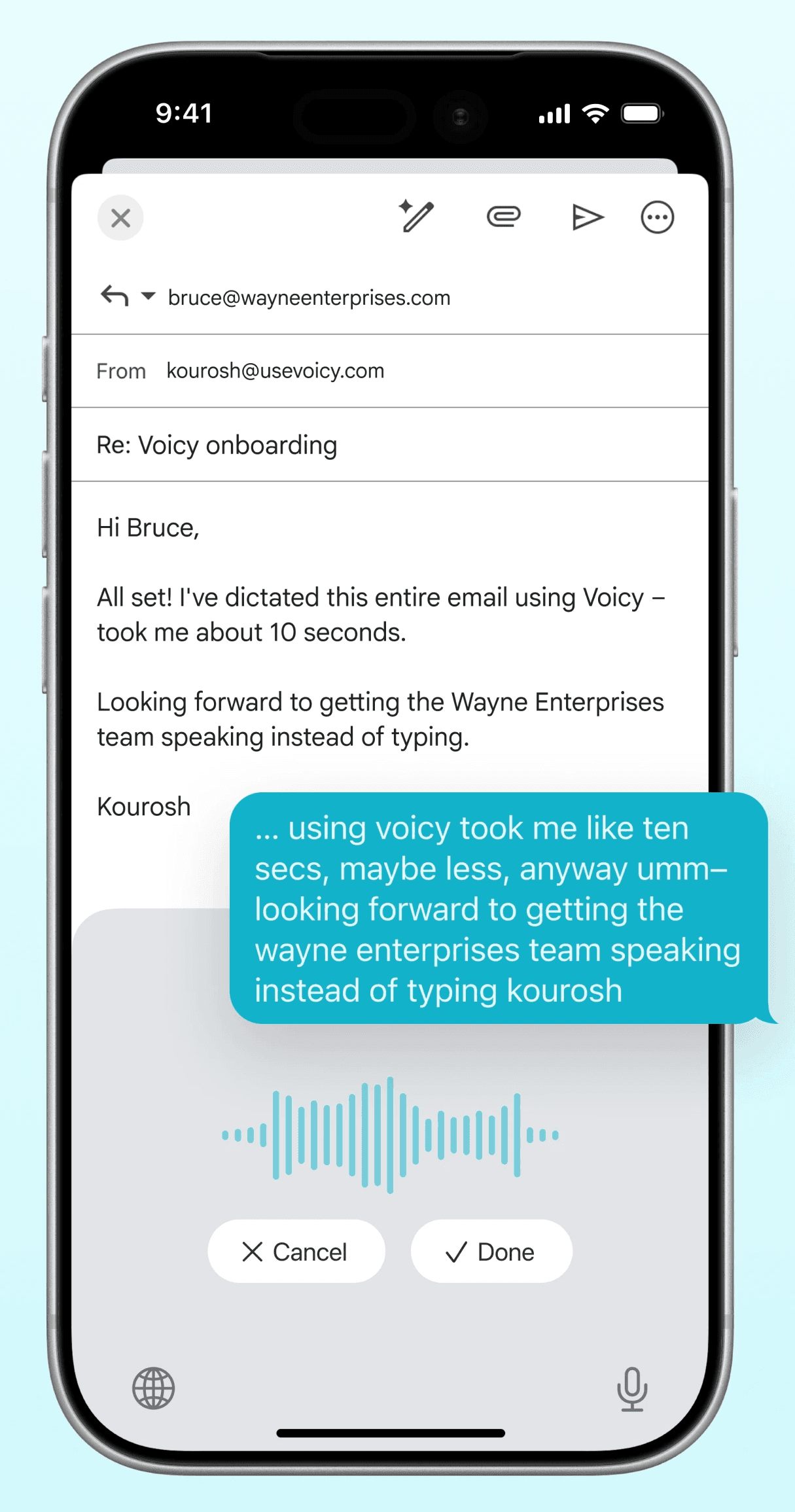
Voicy is a privacy-focused speech to text Chrome extension for people who write all day.

It adds AI-powered voice dictation to every text field in Chrome, so you can write emails, docs, messages, and AI prompts faster without relying on Chrome’s basic built-in speech recognition.

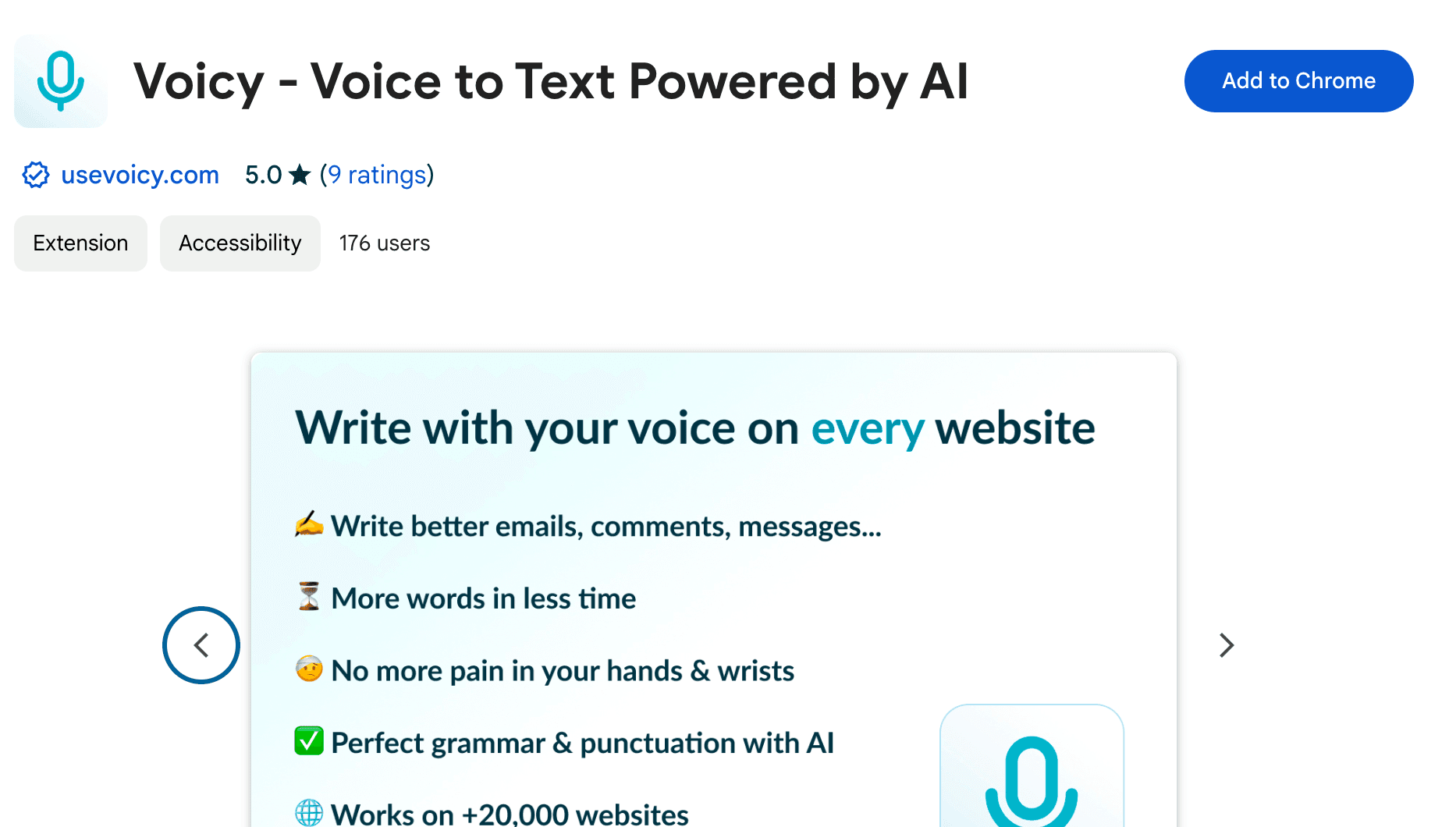
The Voicy extension in the Chrome Web Store
Step 2

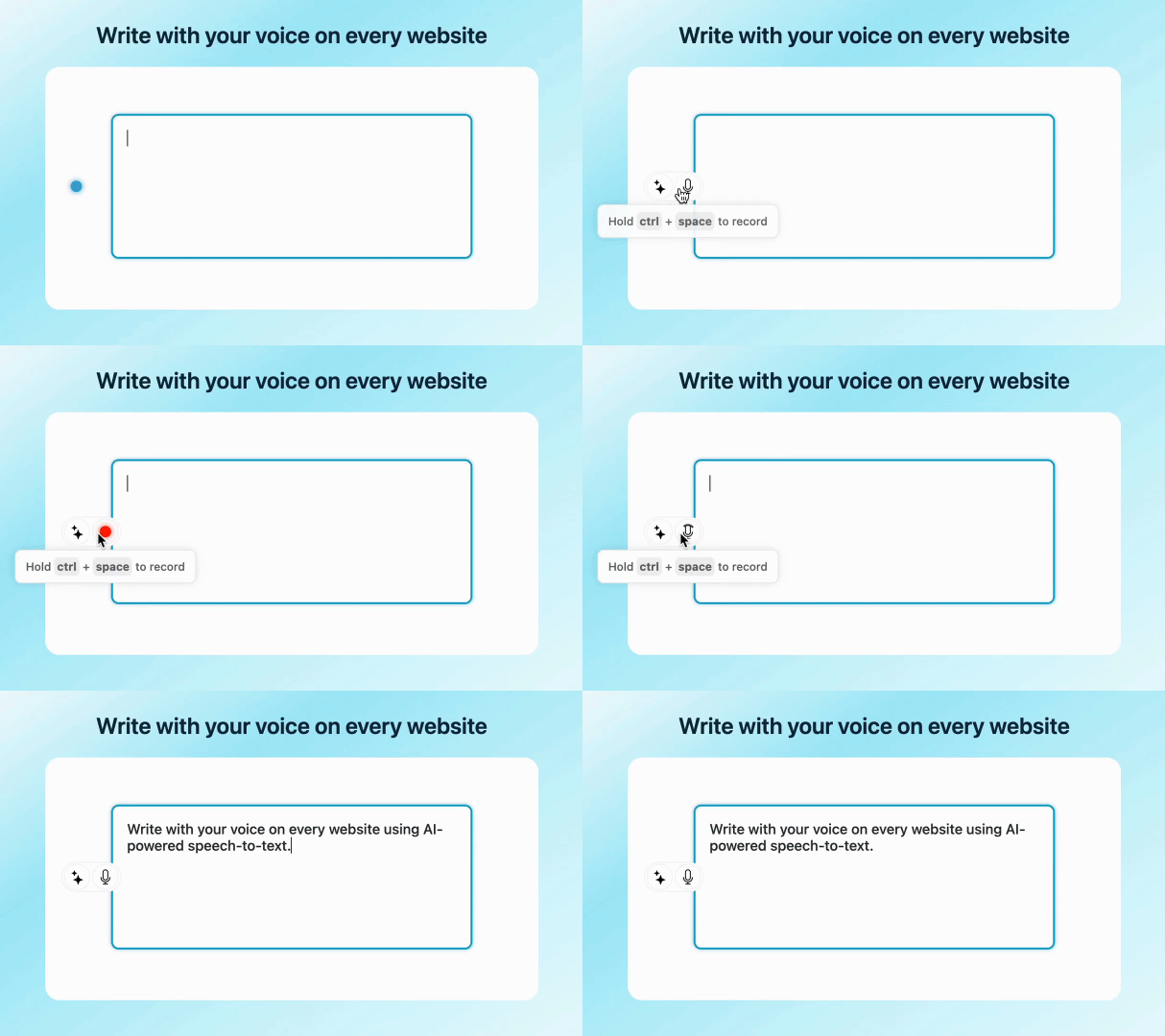
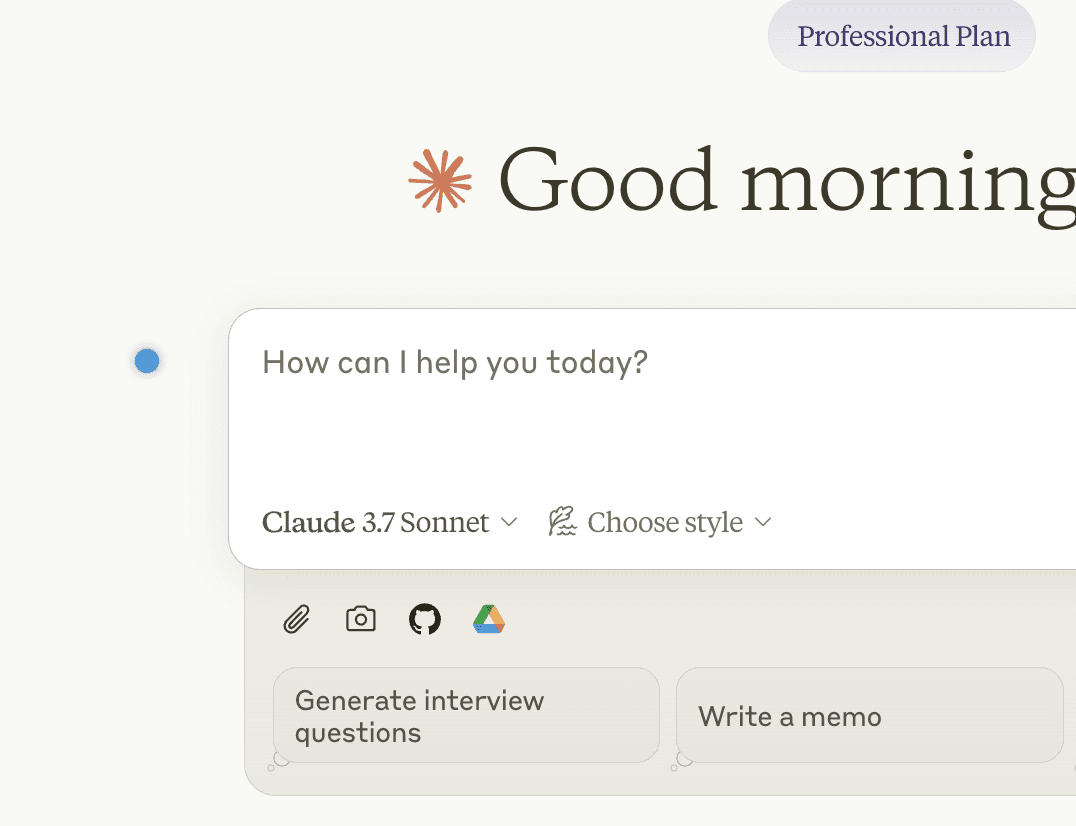
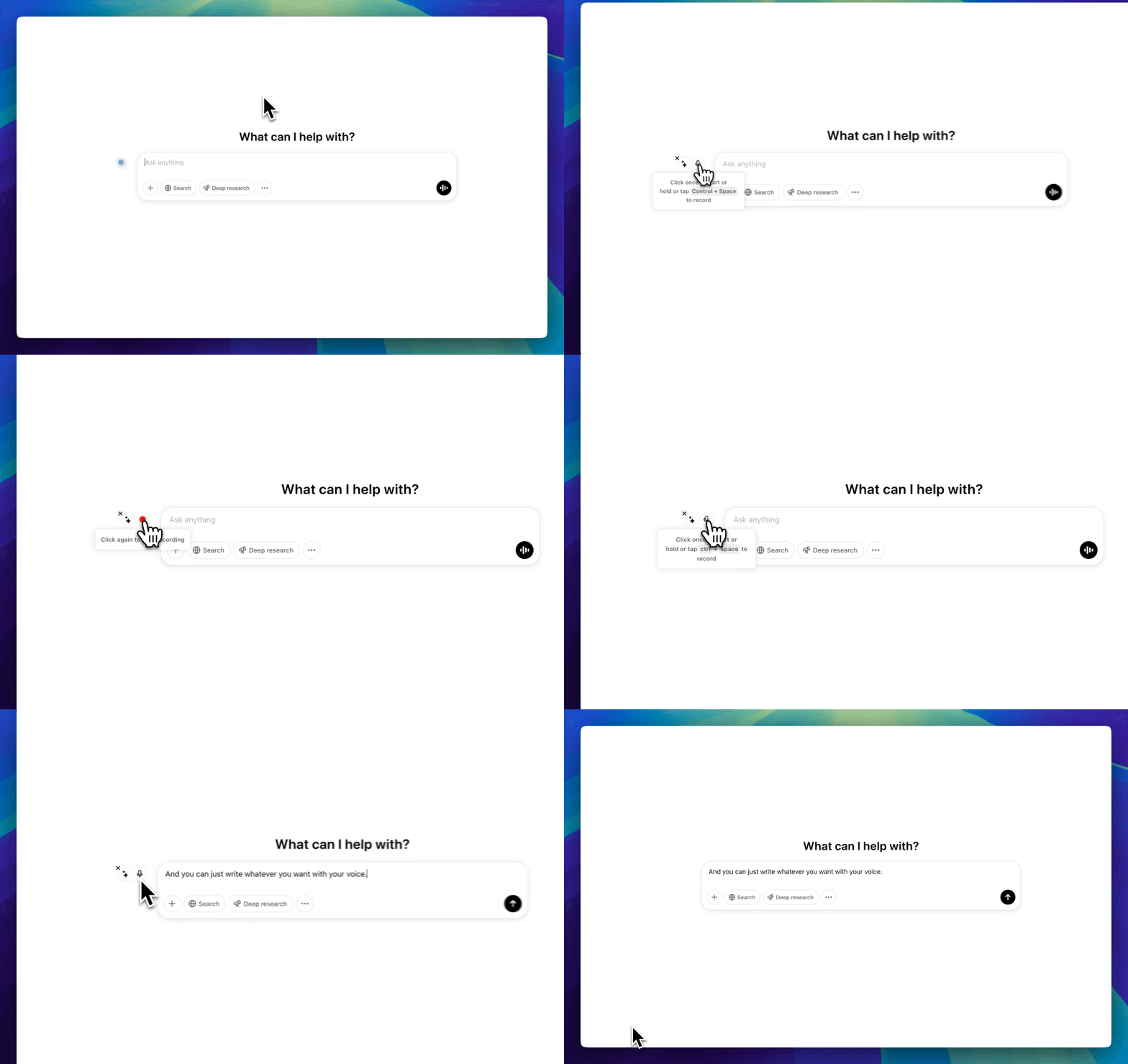
Click on a text field to see the Voicy element

The Voicy element will now show up next to your focused text field.

Hover over the blue dot with your mouse to expand the element.

The Voicy element beside a text field in Claude

Step 3

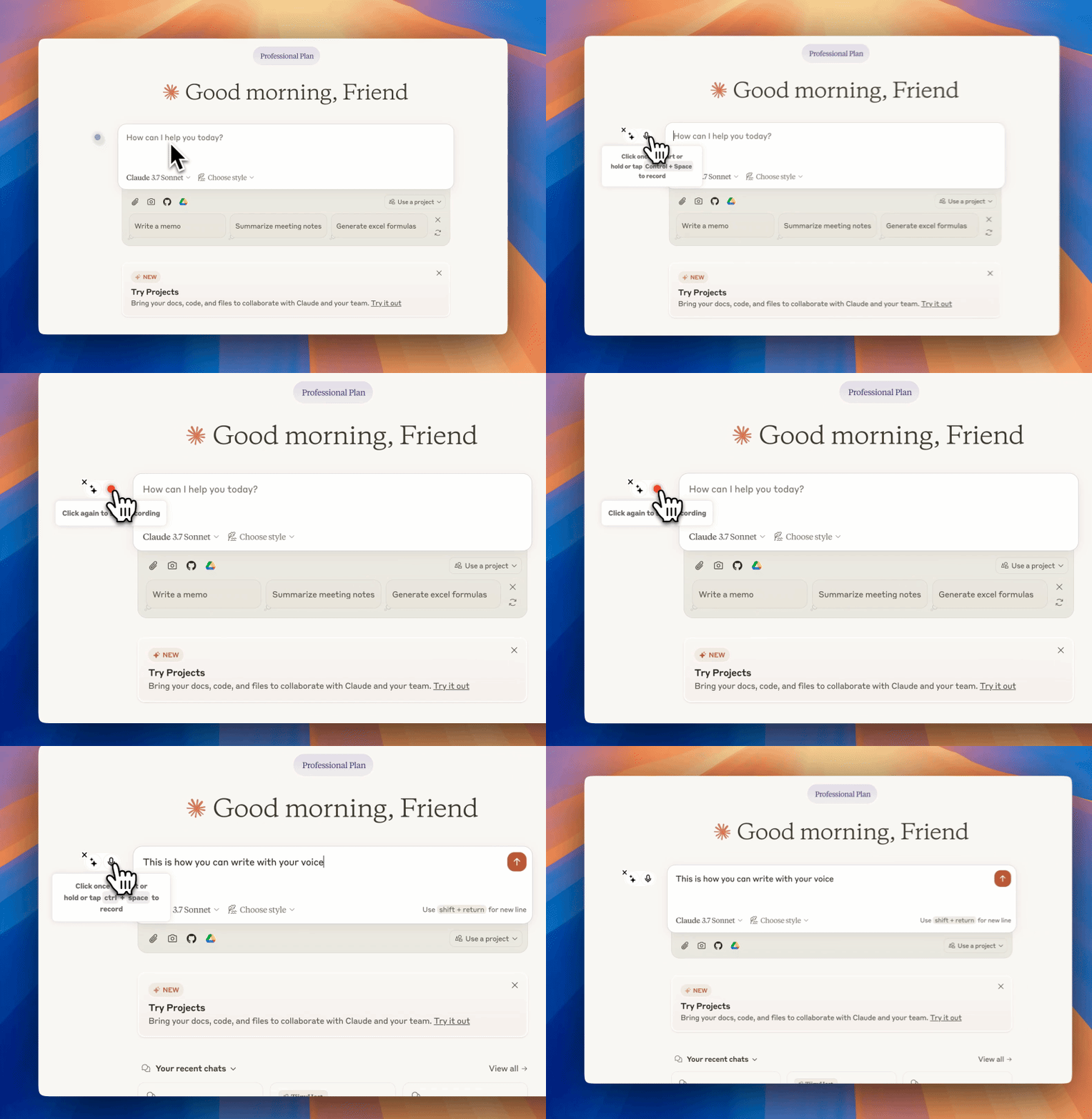
Start dictating to Voicy

Clicking on the microphone will start the speech-to-text recording for you.

Once you are done talking, click on the microphone again to stop.

Your dictated sentences will now show up in your chat input.

Voicy dictating a prompt in Claude
CL Cobb
★★★★★
I've tried other products like it, and, so far, Voicy is the most user-friendly, and it really improves my workflow.
Pam Lang
★★★★★
This is the tool that I was looking for. It is amazing. I've gotten so lazy about typing anywhere. Thank you, thank you, thank you for this product!
Steve Moore
★★★★★
Voicy is an absolute game-changer! This voice-to-text extension delivers exceptional accuracy, capturing my words perfectly every time. The speed is impressive.

Victor Rodriguez
★★★★★
Almost instant replies from the creator, great support great app!
Crystal Willis
★★★★★
I love Voicy!! The extension and the desktop app have saved me so much time. I have tried several different voice-to-text apps. None of them compares to Voicy!

Privacy FAQs

Voicy is a privacy-focused speech-to-text app.
It adds advanced AI dictation to Mac, Windows, browser workflows, iOS, and Android, while keeping your security and privacy in mind.

Can you read what I write with Voicy?

Nobody can read your transcripts or listen to your recordings.

Do you save my recordings and transcripts?

We do not store your transcripts or recordings anywhere in our database.

Where is my dictation stored?

Your transcripts are only stored on your device locally.
Do you use my transcripts for research or to train an AI?

We do not use your recordings to train an AI model or for any other purpose. We do not store your transcripts or recordings at all.

Works everywhere

Voicy works on all the websites and apps you use daily. This means you can use voice typing to write emails, messages, documents, blog posts, etc.This means your voice can write emails, messages, documents, blog posts, etc.

OutlookWordGmailLinkedInSubstackMessenger
NotionChatGPTClaudeGoogle DocsTelegramDiscord
RedditHubSpotEvernoteMediumTrelloAsana

Privacy First

Nobody sees your transcripts except yourself.
You can read more about our privacy policy here.

Automatic Punctuation

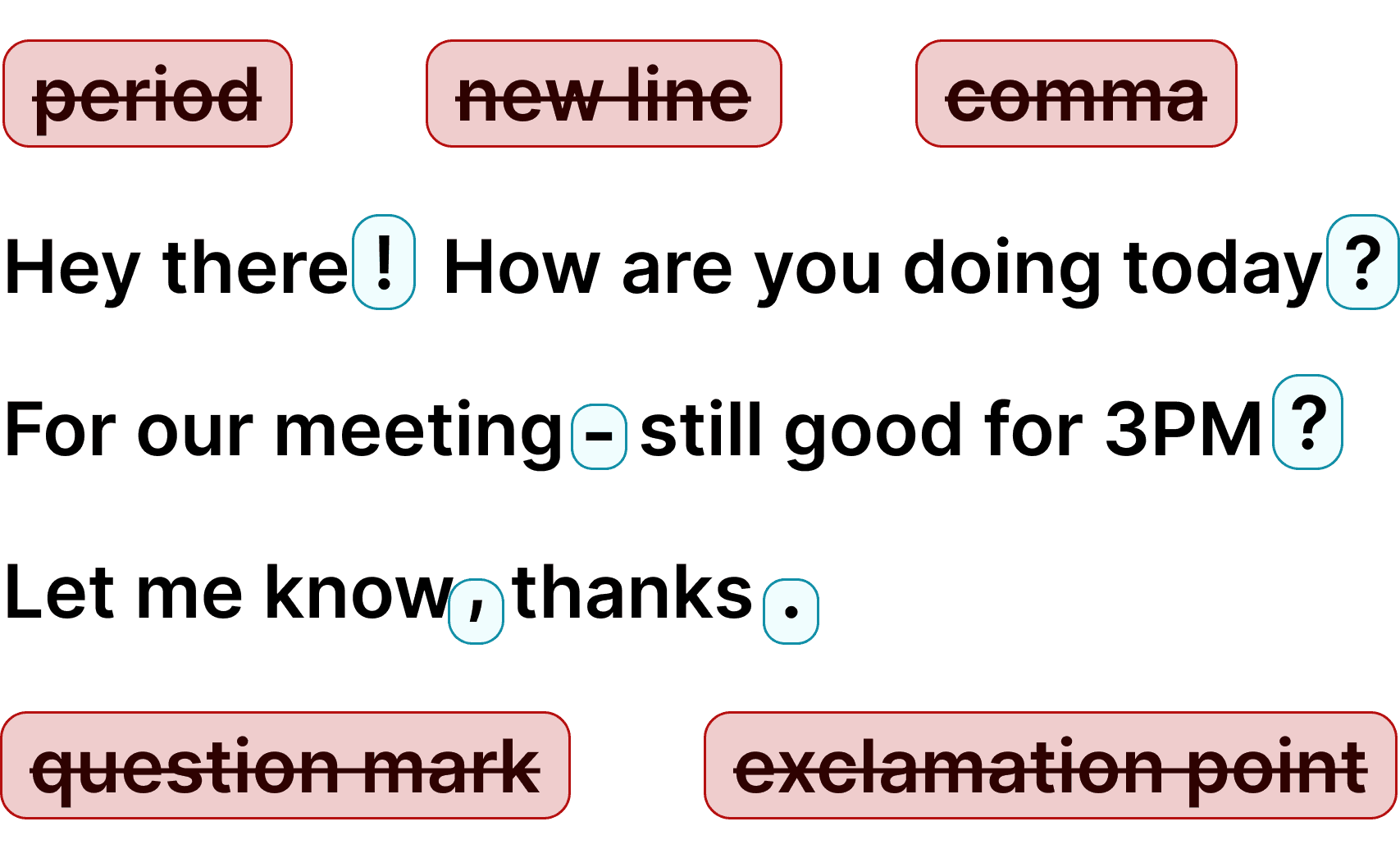
Voicy automatically adds perfect punctuation to your dictated text.
Zero typos, perfect grammar, perfect punctuation.

Voicy adds punctuation automatically

+50 languages

Voicy gives you over 99% accuracy in more than 50 languages, including speech-to-text in English, German, French, Spanish, Portuguese, Mandarin, etc.Over 99% accuracy in more than 50 languages, including speech to text in English, German, French, Spanish, Portuguese, Mandarin, etc.

Dictation on Android & iPhone

Voicy on Mobile

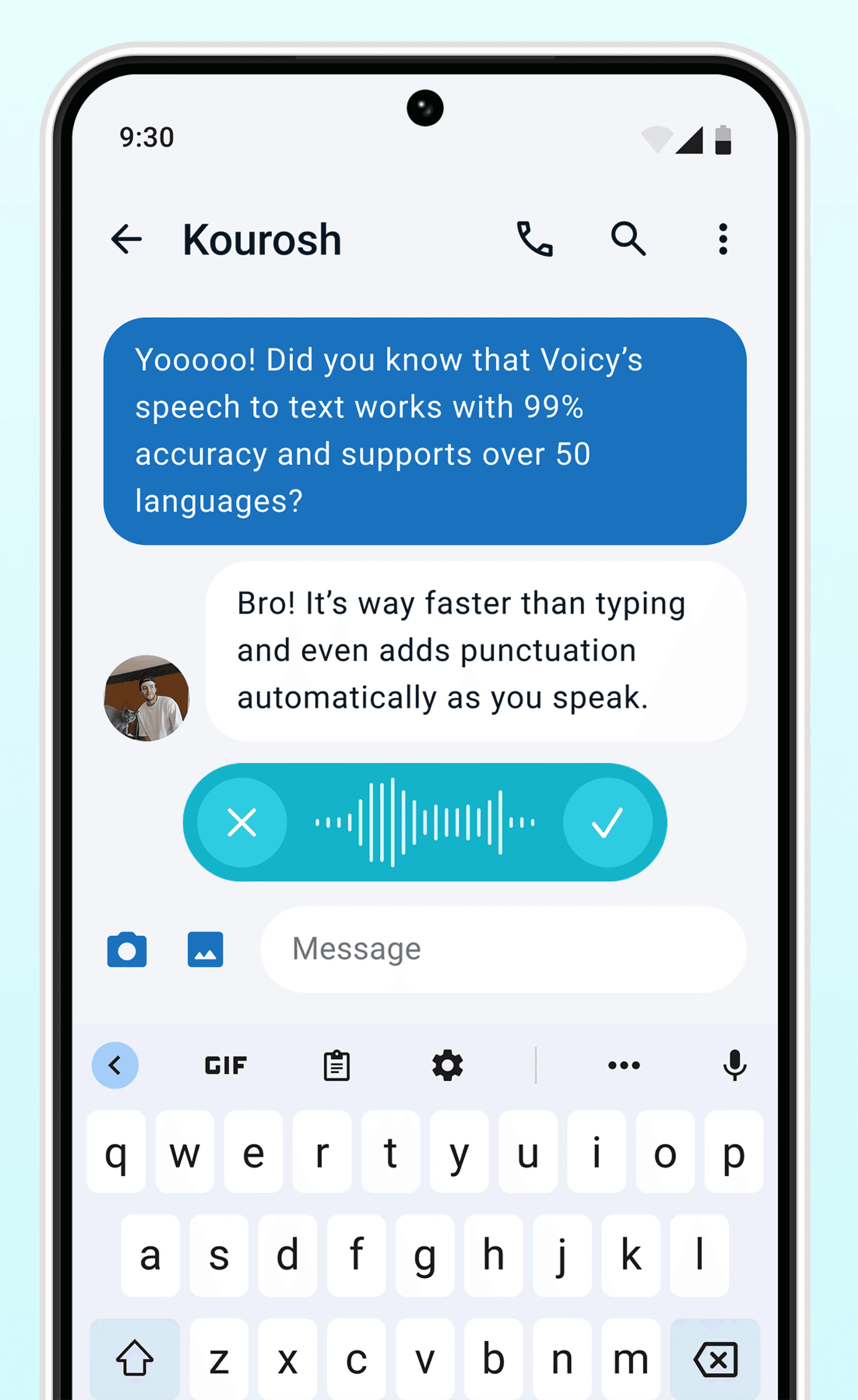
Never use Apple's or Android's annoying dictation again. Perfect dictation, 4x faster than typing.

  • 99% accuracy in 50 languages
  • Works in every app on Android & iOS
  • Automatic formatting and punctuation
Voicy dictation on AndroidVoicy dictation on iPhone

Where people dictate with Voicy

Emails

Voice-typing Emails

GmailOutlookYahoo MailApple MailProton MailSuperhuman& more

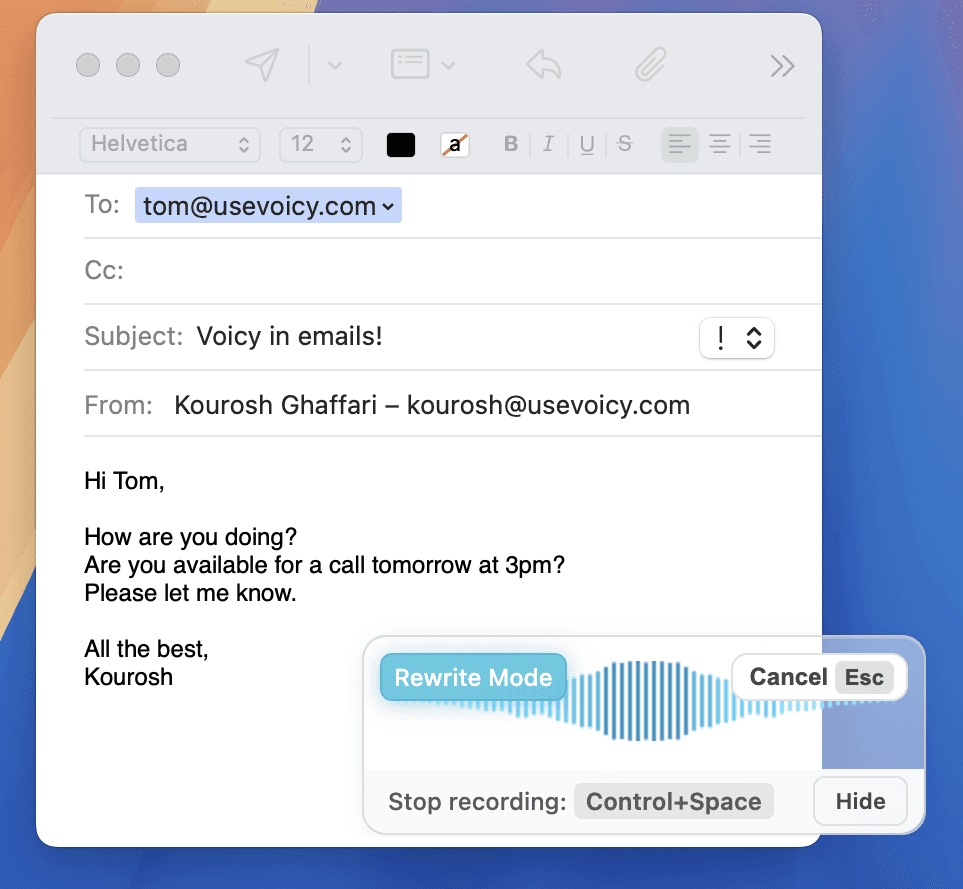
Dictate emails in every email app with Voicy. Write emails up to 4x faster with your voice thanks to:

  • 99% accuracy in 50 languages
  • Automatic punctuation + formatting
  • AI rewriting for professional emails
Start for Free
Image showing speech to text for email with Voicy in the apple mail email app.

Writing & Documents

Dictating Documents

Microsoft WordGoogle DocsEvernoteNotionProton MailSuperhuman& more

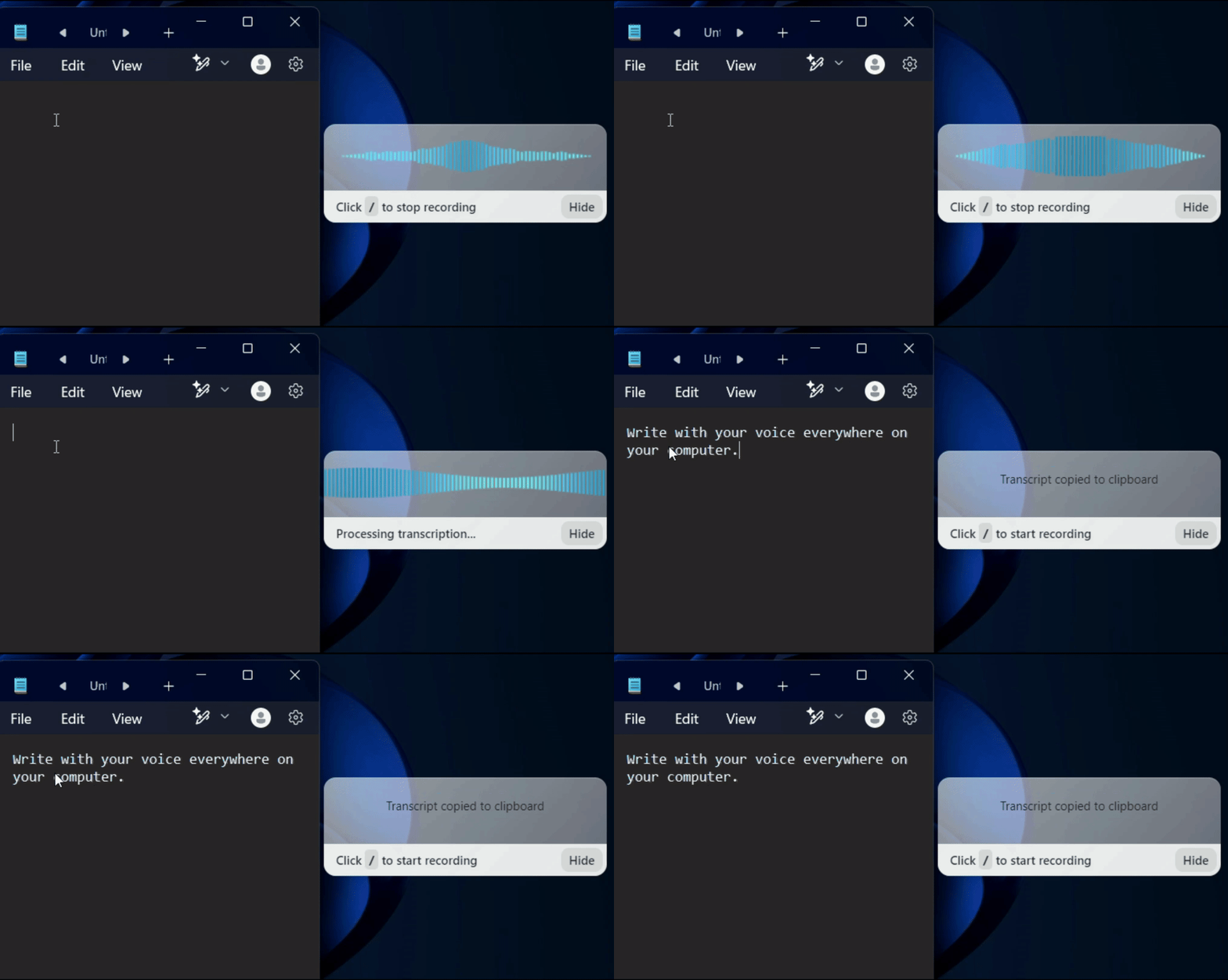
Speech-to-text for all your documents, notes, and writings. Get your thoughts on paper faster with:

  • Near-perfect accuracy in 50 languages
  • AI rewriting & editing
  • Automatic cleanups and punctuation
A gif showing how Voicy's speech to text functionality works on a Windows computer

Chats, team communication, AI prompts

Speech-to-text in all chats (Humans or AI)

WhatsappSlackMicrosoft TeamsChatGPTGoogle GeminiClaude& more

Whether you're chatting with friends on WhatsApp, your colleagues on Slack or Teams, or your favorite AI on ChatGPT, Gemini, Claude, etc., dictate your messages with Voicy.

  • 99% accurate in 50 languages
  • Lightning-fast dictation
  • AI rewriting & editing
A GIF of Voicy speech to text chrome extension being used in ChatGPT to dictate a prompt

Coding, terminals, vibe-coding

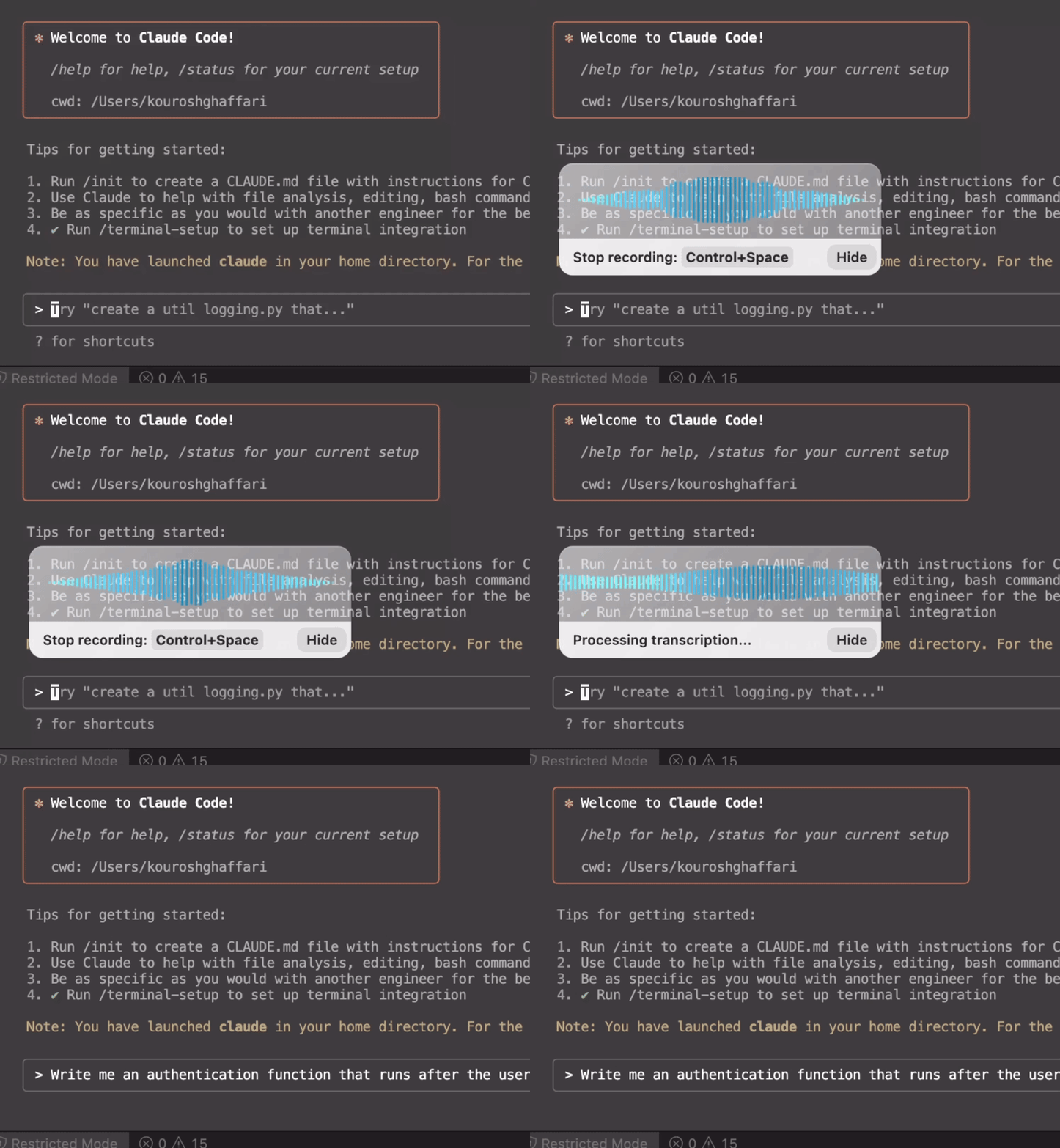
Talk to your terminal, or code in your IDE

VSCodeIntelliJCursorPyCharmCodexClaude Code& more

Use dictation in your TUI for commands, Claude Code, or Codex. Or voice-type in your favorite IDE for some fun coding (the vibe is optional)

  • Works in all terminals and IDEs
  • Write longer & better prompts in half the time
  • Understands coding terminology

The benefits of using speech-to-text in Chrome

Write 3x faster with your voice

On average, voice typing can increase the speed of writing by 3x.

Instead of using your keyboard, simply click on the keyboard shortcut, start speaking, and you will see the text on your screen instantly.

Additionally, you always get perfect grammar and punctuation.

Reduced strain on your fingers and wrist

By completely cutting out the thousands of keystrokes we make every day, Voicy simply reduces the need to use your fingers and keyboard.

An ergonomic mouse and keyboard are great.

No keyboard is even better.

Better than your browser's native speech recognition.

How often did you have to correct the words that your browser's native voice dictation gives you?

Or how often did you have to Google how to fix voice typing in Chrome?

With Voicy, you get more accurate text, automatic punctuation, and lots of useful AI features.

Speech to text Chrome extension, powered by AI

Voicy is a speech to text Chrome extension that adds AI-powered voice dictation to all the websites you use in the Chrome Browser.

This includes: Gmail, Google Docs, Slack, Notion, ChatGPT, Claude, LinkedIn, and 20,000 more.

Unlike basic Chrome dictation extensions, Voicy uses advanced AI speech recognition. This gives you: Better accuracy; Automatic punctuation and grammar fixes; Automatic detection of over 50 languages.

Why Voicy beats other Chrome voice typing extensions

Most Chrome speech to text extensions rely on basic browser-level speech recognition, which often breaks down on punctuation, accents, technical terms, and longer dictation.

Voicy is built for people who need Chrome dictation to hold up in real work, whether that means writing emails in Gmail, drafting in Google Docs, chatting in Slack, or prompting AI tools.

You notice the difference immediately in real workflows. Emails come out cleaner, Google Docs drafts need fewer fixes, and AI prompts in ChatGPT or Claude can be longer and more specific. That is the real upgrade, not just voice typing in Chrome, but better output across the tools you already use.

Pricing

Fair pricing policy

Our price will never be more than 20% above our total costs.

★★★★★4.9/5+10,000 happy users

Voicy for Teams

FAQ

What is the best speech to text extension for Chrome?

The best Chrome speech to text extension depends on how often you dictate, but most people want three things: high accuracy, automatic punctuation, and support across the sites they actually use. Voicy is built for that workflow, with AI-powered transcription, 50+ languages, and reliable dictation in Gmail, Google Docs, Slack, Notion, ChatGPT, and other everyday Chrome tabs.

What languages does Voicy's Chrome extension support?

Over 50 languages including English, German, French, Spanish, Portuguese, Arabic, Hindi, Chinese, Russian, and many more. Language detection is automatic — you can switch languages without changing any settings.

How much does the Voicy Chrome extension cost?

Voicy offers a free trial so you can test all features. After the trial, plans start at $8.49/month, with annual and lifetime options also available. The Chrome extension works on everyday websites including Gmail, Google Docs, Slack, Notion, ChatGPT, and thousands more.

Is my Chrome dictation private? Do you store what I type?

Voicy processes your speech to create the transcript, then returns the text to the field you are using. Voicy is cloud-based and is designed for private everyday dictation, but it is not an offline-only Chrome extension.

How does speech to text work in Chrome with Voicy?

Install the Voicy Chrome extension from the Chrome Web Store. A small Voicy element appears next to text fields on every website. Click the microphone or use your keyboard shortcut to start dictating. Voicy transcribes in real time with automatic punctuation, and the text appears wherever your cursor is.

Does Voicy work on every website in Chrome?

Yes. Voicy adds voice dictation to almost every text field in Chrome, including Gmail, Google Docs, Slack, Notion, ChatGPT, Claude, LinkedIn, and thousands of other web apps. If you can type in it, you can usually dictate in it, which makes it much more useful than narrow extensions built for only one site.

Does Chrome have built-in speech to text?

Chrome itself does not give you a polished speech-to-text workflow for every site. Some extensions and web apps rely on basic browser speech recognition, but they often fall short on punctuation, accuracy, and cross-site reliability. Voicy adds a dedicated Chrome voice typing layer for Gmail, Google Docs, ChatGPT, Claude, Slack, Notion, and other sites where you actually write.

Does Voicy's Chrome extension work with Google Docs voice typing?

Yes. Voicy works directly in Google Docs, so you can dictate into the document without relying on Google's built-in voice typing tool. That gives you cleaner punctuation, fewer correction passes, and one speech to text workflow you can keep using across Docs, Gmail, Slack, Notion, and AI tools in the same browser.

Can I use Voicy to dictate into ChatGPT, Claude, Slack, and Notion?

Yes. Voicy works in ChatGPT, Claude, Gemini, Slack, Notion, Gmail, Google Docs, and almost any other text field you use in Chrome. That means you can keep one speech-to-text workflow for email, docs, team chat, notes, and AI prompting instead of switching between different dictation tools.