★★★★★4.9/5+10,000 happy usersMicrosoft Outlook logo

Email dictation software for Outlook

Dictate perfect emails in Outlook with AI.

Over 99% accuracy in 50 languages.

Automatic punctuation and formatting.

Rewrite and edit with AI.

Try for free. No credit card required.

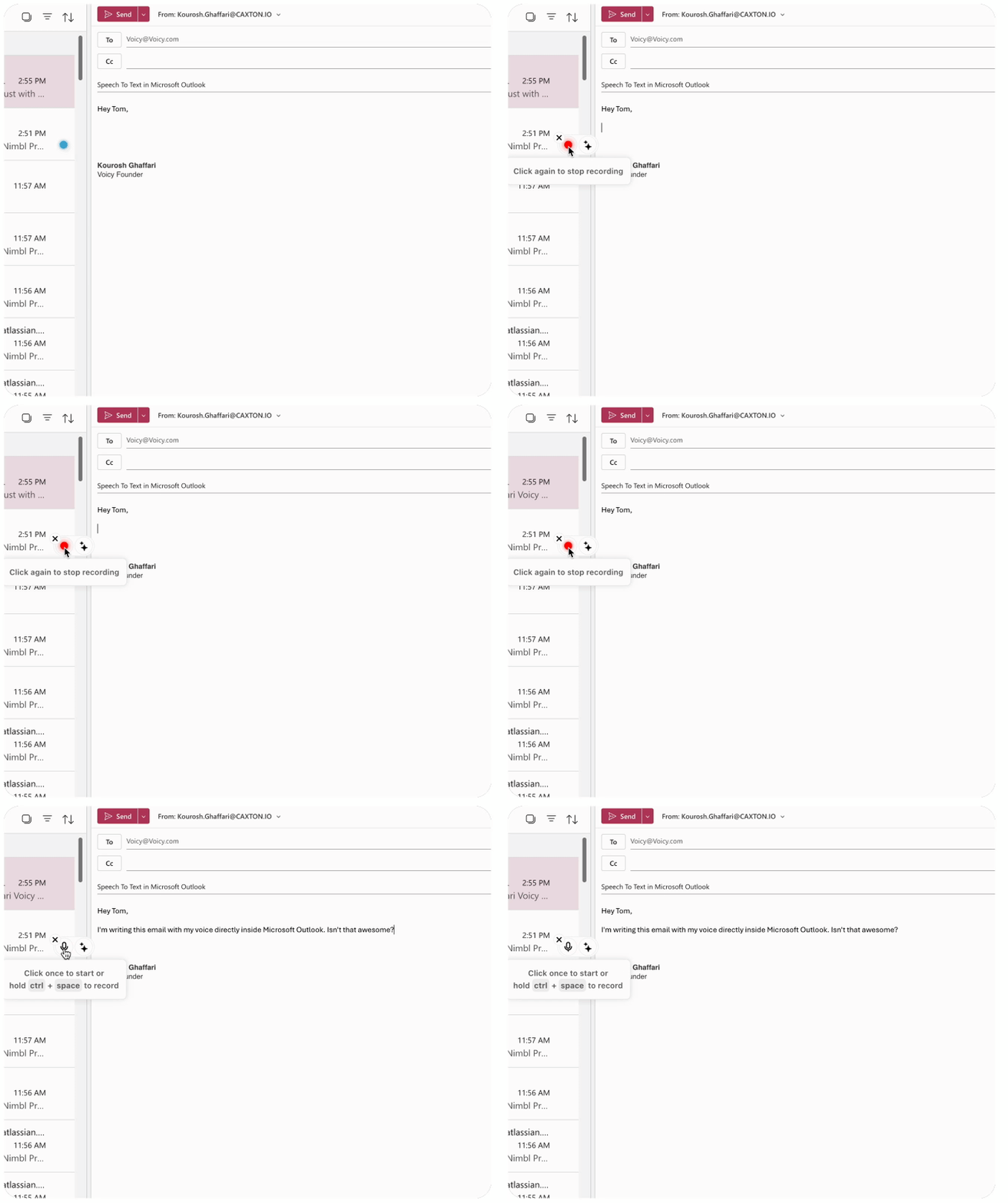
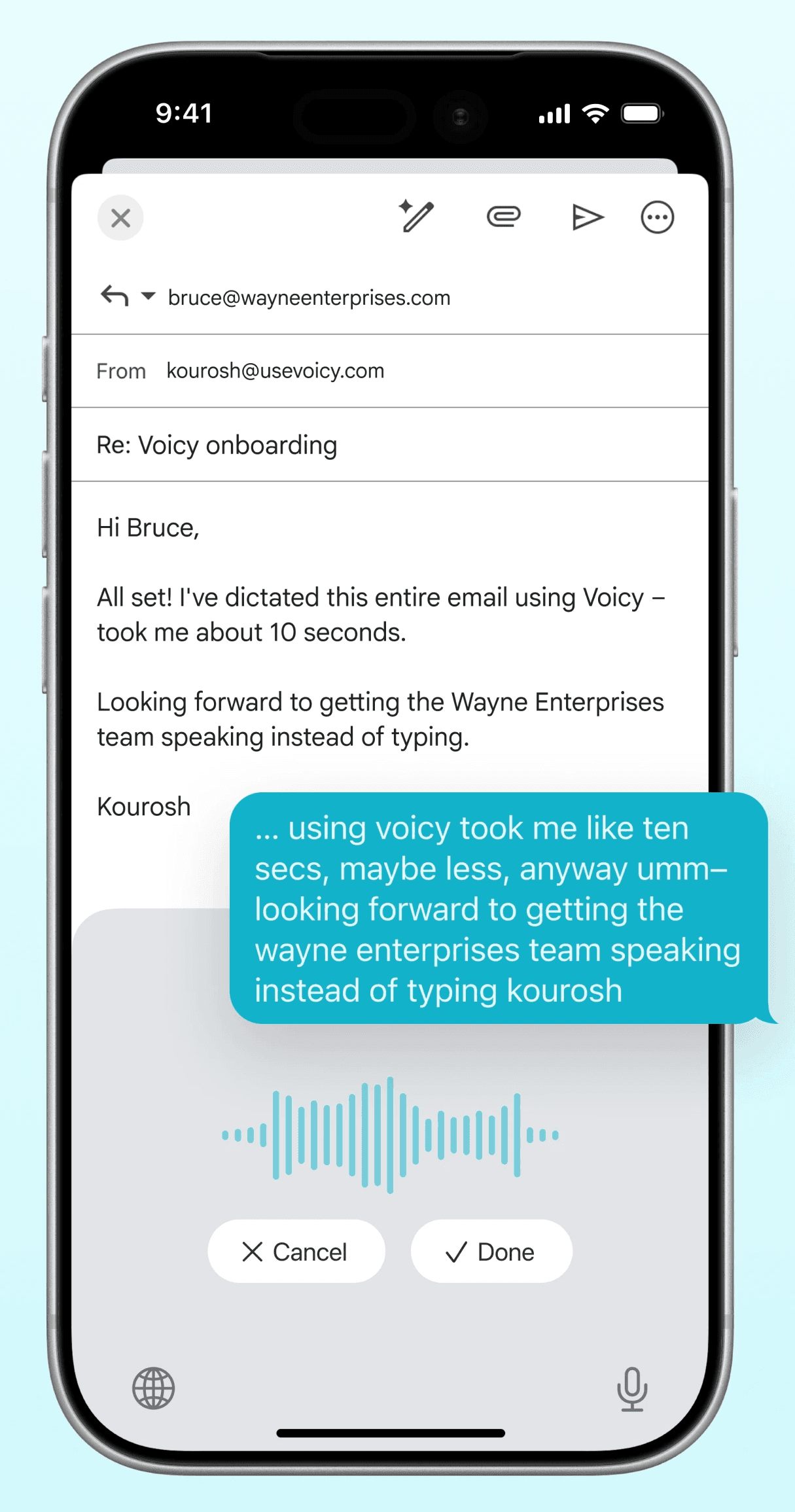
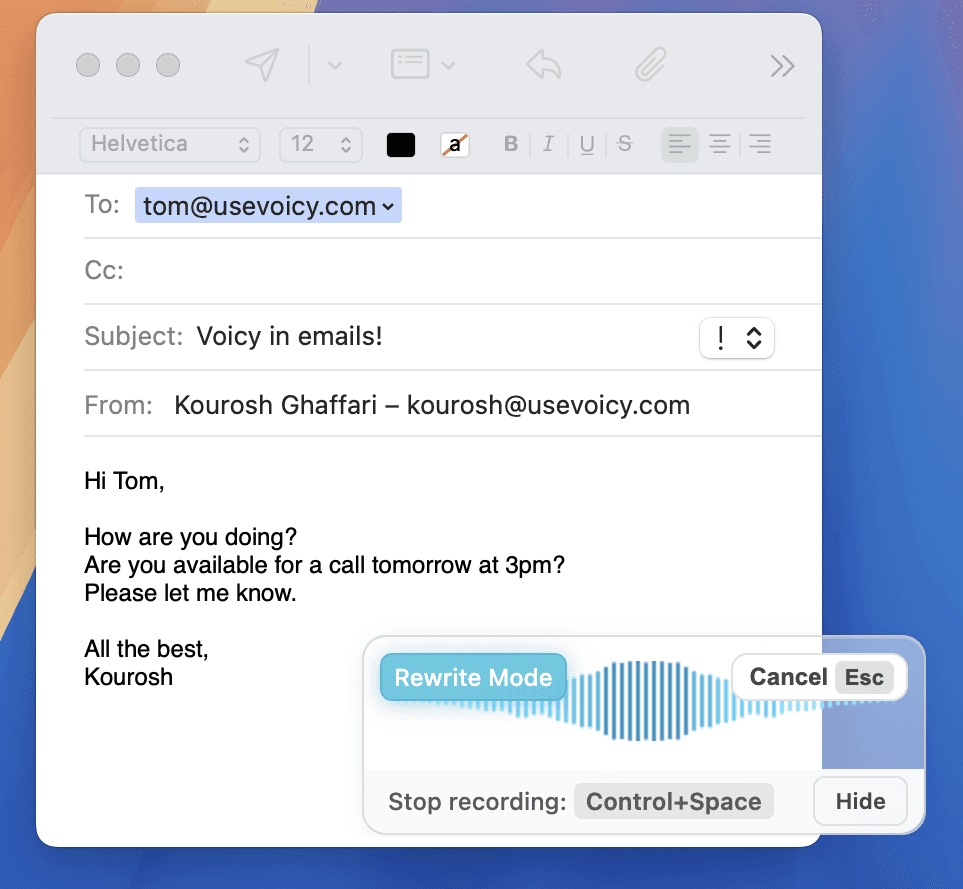
Voicy writing an Outlook email with voice dictation

See how it works

How to use voice typing in Outlook for emails

Step 1

Download the Voicy app with the button below

Voicy is a privacy-focused speech-to-text app.

It adds AI-powered voice dictation to every text field on the internet including Microsoft Outlook.

Install the app for Mac, Windows, or Linux, open Outlook, and start dictating emails with 99%+ accuracy and automatic punctuation.

Voicy voice typing in Outlook

Step 2

Open Outlook and start a new email

Open Outlook and start a new email or reply.

Start recording your email with Voicy by clicking your keyboard shortcut.

Once you are done, the transcription will be pasted into Outlook.

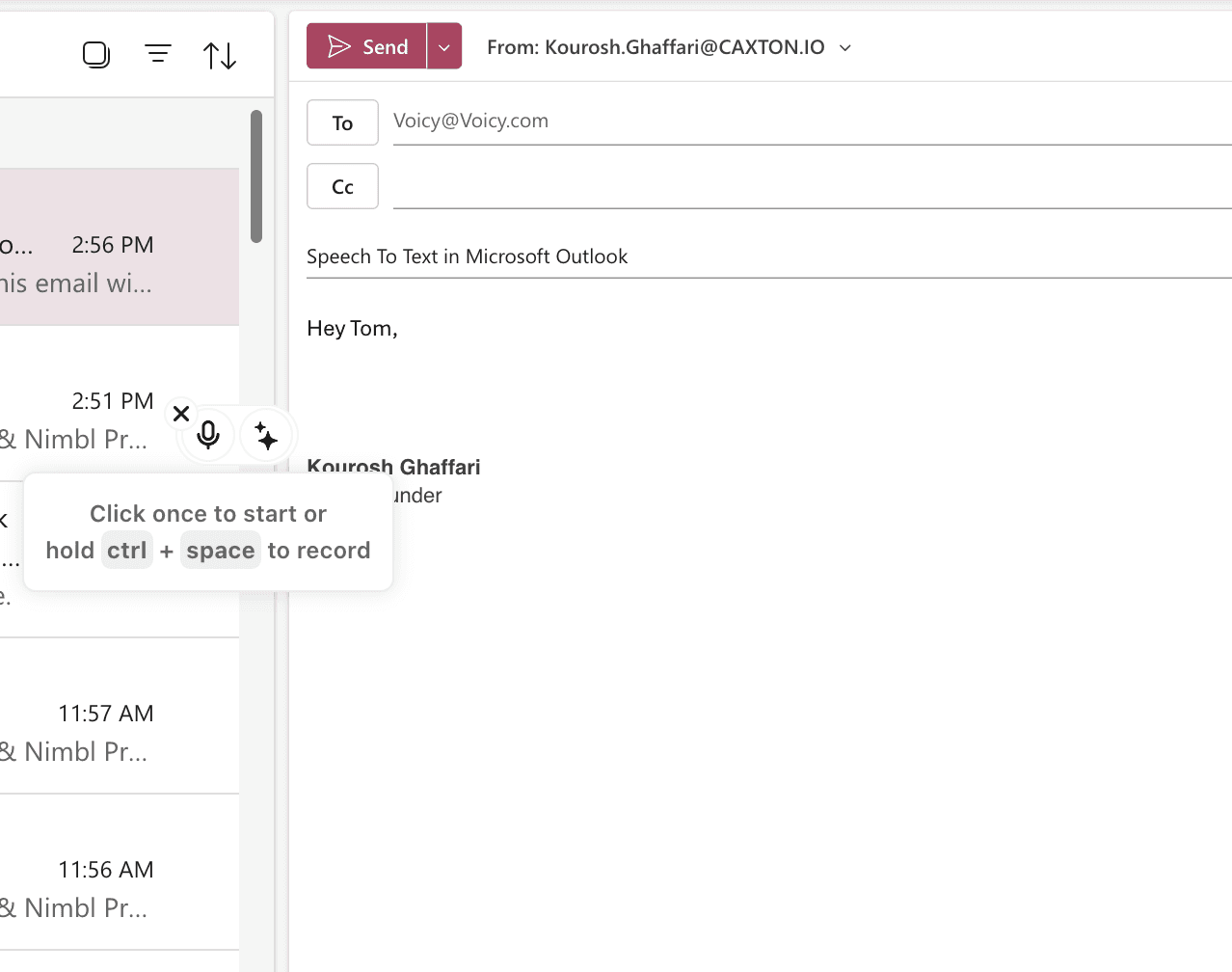
Voicy voice-to-text control in Outlook

Step 3

Start voice-typing your emails with Voicy

Voicy works in every field in Outlook, including the email body, subject line, and recipient fields.

You can also edit your email with AI. Highlight the text, start Voicy's rewrite mode, and tell the AI what you would like to change.

Outlook email written using Voicy

Voicy vs Outlook dictation options

FeatureVoicy⭐ RecommendedOutlook DictationWindows Win+H
Works in Outlook webYesNoLimited
Works in Outlook desktopYesYes (Win+H)Yes
Accuracy99%+~90%~90%
Auto punctuationYesNoNo
Works in every appYesNoSome apps
Grammar correctionYesNoNo
AI writing assistantYesNoNo
50+ languagesYesLimitedLimited

Try Voicy in Outlook today!

+10,000 happy users

30 minutes of free recording timeFree trial. No credit card required.

Start for free

Free trial. No credit card required.

Works everywhere

Voicy works on all the websites and apps you use daily. This means you can use voice typing to write emails, messages, documents, blog posts, etc.This means your voice can write emails, messages, documents, blog posts, etc.

OutlookWordGmailLinkedInSubstackMessenger
NotionChatGPTClaudeGoogle DocsTelegramDiscord
RedditHubSpotEvernoteMediumTrelloAsana

Privacy First

Nobody sees your transcripts except yourself.
You can read more about our privacy policy here.

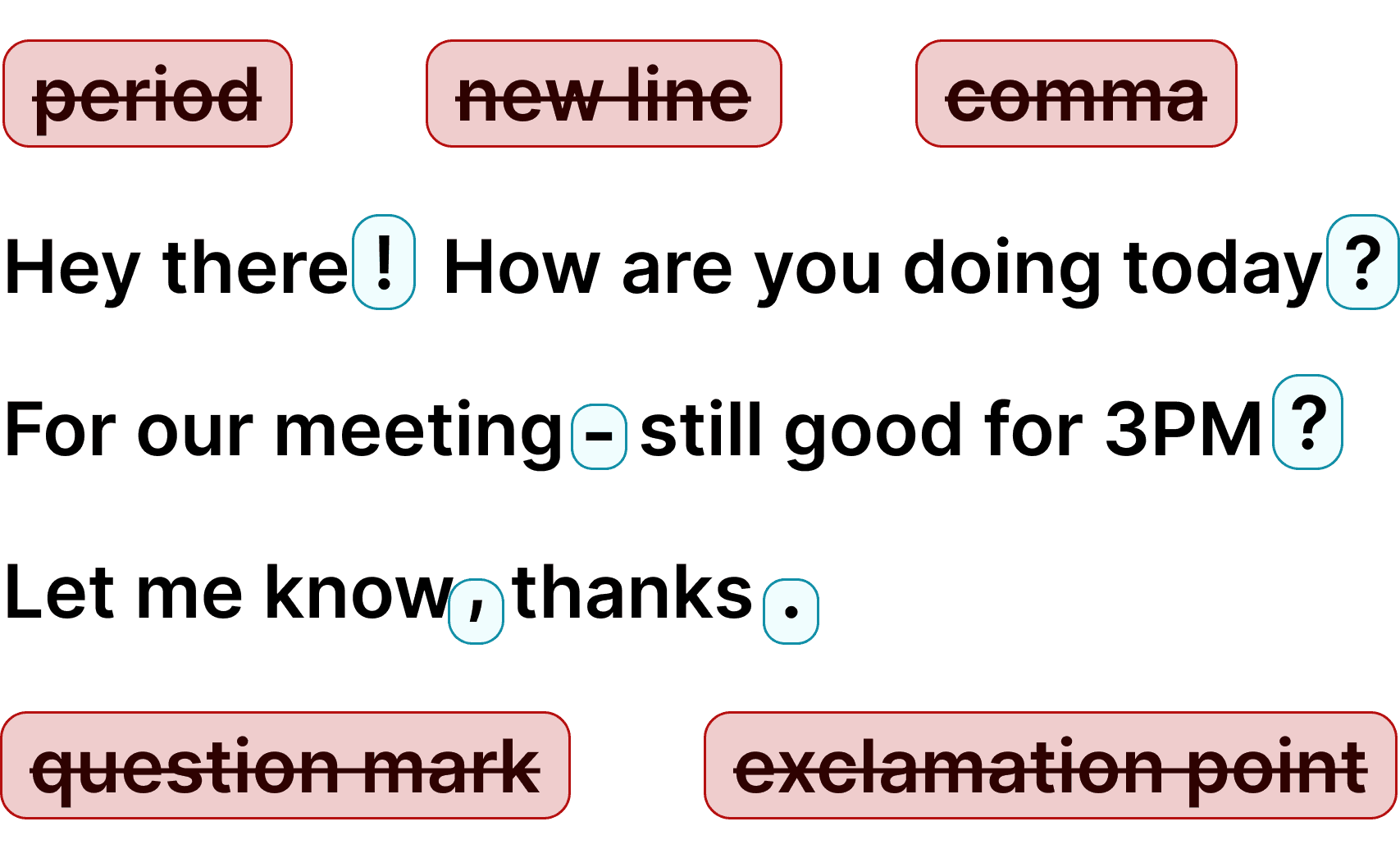
Automatic Punctuation

Voicy automatically adds perfect punctuation to your dictated text.
Zero typos, perfect grammar, perfect punctuation.

Voicy adds punctuation automatically

+50 languages

Voicy gives you over 99% accuracy in more than 50 languages, including speech-to-text in English, German, French, Spanish, Portuguese, Mandarin, etc.Over 99% accuracy in more than 50 languages, including speech to text in English, German, French, Spanish, Portuguese, Mandarin, etc.

The benefits of speech-to-text in Outlook

Get to inbox zero, 3x faster

Voice typing is 3x faster than typing by hand. Instead of spending 5 minutes crafting a reply, dictate it in under 2. Get through your Outlook inbox faster and spend your time on work that matters.

Perfect punctuation, automatically

Voicy adds commas, periods, and question marks automatically. No more saying 'comma' or 'period' out loud like with Windows dictation. Your Outlook emails come out properly punctuated and ready to send.

Emails that sound like you

Dictated emails sound more natural and conversational than typed ones. Your Outlook recipients get emails that read like you actually wrote them — because you did, just with your voice.

CL Cobb
★★★★★
I've tried other products like it, and, so far, Voicy is the most user-friendly, and it really improves my workflow.
Pam Lang
★★★★★
This is the tool that I was looking for. It is amazing. I've gotten so lazy about typing anywhere. Thank you, thank you, thank you for this product!
Steve Moore
★★★★★
Voicy is an absolute game-changer! This voice-to-text extension delivers exceptional accuracy, capturing my words perfectly every time. The speed is impressive.
Victor Rodriguez
★★★★★
Almost instant replies from the creator, great support great app!
Crystal Willis
★★★★★
I love Voicy!! The extension and the desktop app have saved me so much time. I have tried several different voice-to-text apps. None of them compares to Voicy!

Dictation on Android & iPhone

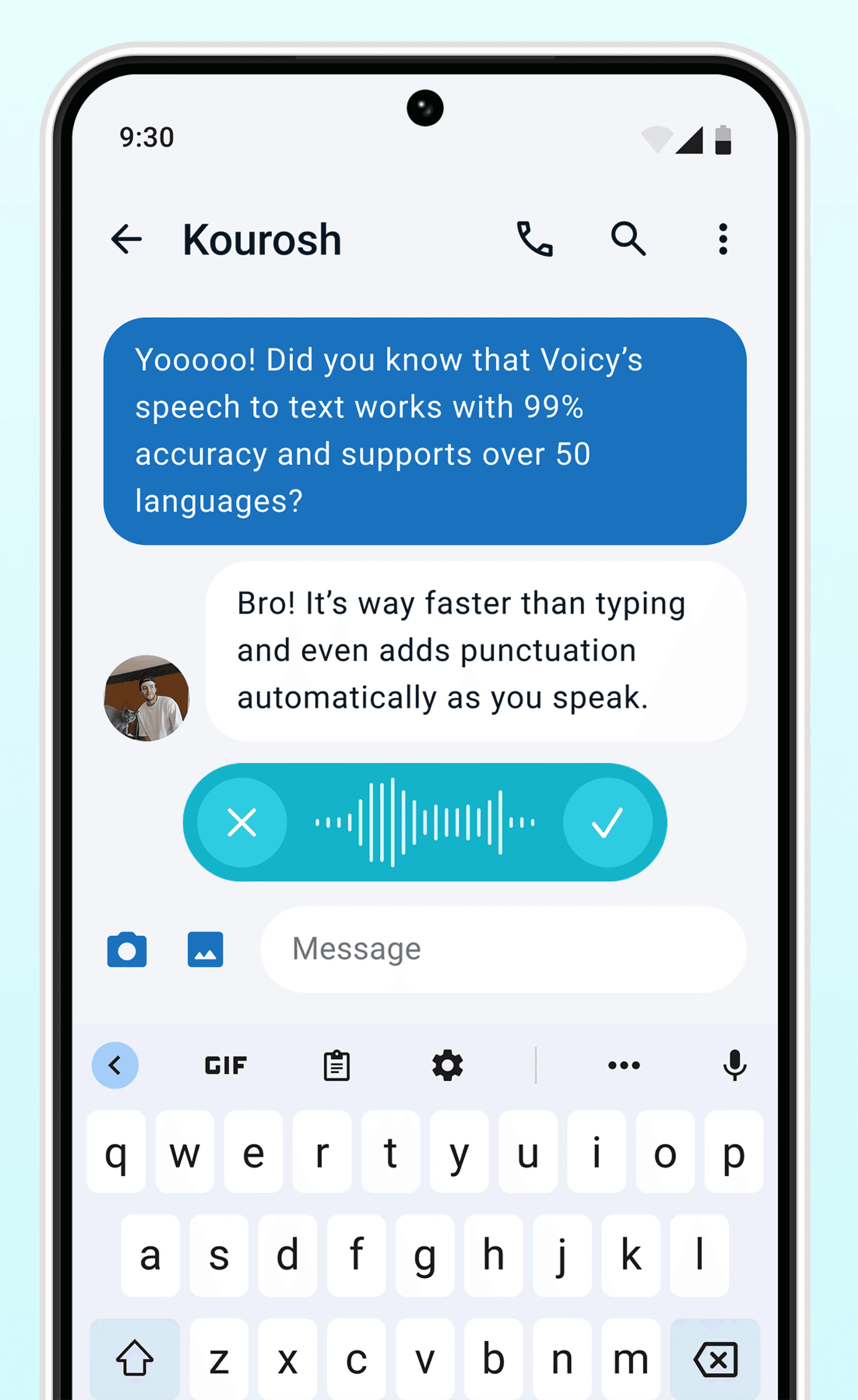
Voicy on Mobile

Never use Apple's or Android's annoying dictation again. Perfect dictation, 4x faster than typing.

  • 99% accuracy in 50 languages
  • Works in every app on Android & iOS
  • Automatic formatting and punctuation
Voicy dictation on AndroidVoicy dictation on iPhone

Where people dictate with Voicy

Emails

Voice-typing Emails

GmailOutlookYahoo MailApple MailProton MailSuperhuman& more

Dictate emails in every email app with Voicy. Write emails up to 4x faster with your voice thanks to:

  • 99% accuracy in 50 languages
  • Automatic punctuation + formatting
  • AI rewriting for professional emails
Start for Free
Image showing speech to text for email with Voicy in the apple mail email app.

Writing & Documents

Dictating Documents

Microsoft WordGoogle DocsEvernoteNotionProton MailSuperhuman& more

Speech-to-text for all your documents, notes, and writings. Get your thoughts on paper faster with:

  • Near-perfect accuracy in 50 languages
  • AI rewriting & editing
  • Automatic cleanups and punctuation
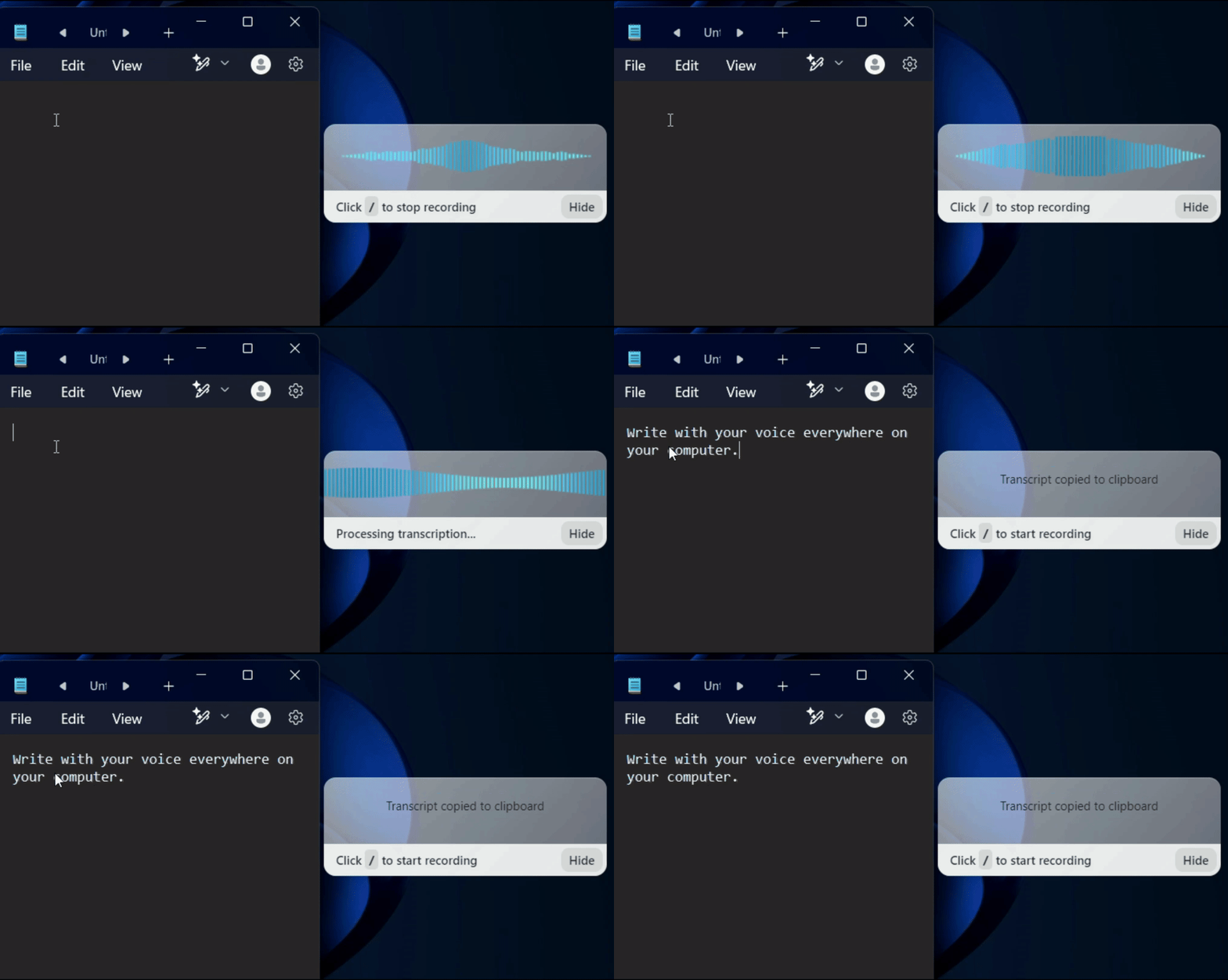
A gif showing how Voicy's speech to text functionality works on a Windows computer

Chats, team communication, AI prompts

Speech-to-text in all chats (Humans or AI)

WhatsappSlackMicrosoft TeamsChatGPTGoogle GeminiClaude& more

Whether you're chatting with friends on WhatsApp, your colleagues on Slack or Teams, or your favorite AI on ChatGPT, Gemini, Claude, etc., dictate your messages with Voicy.

  • 99% accurate in 50 languages
  • Lightning-fast dictation
  • AI rewriting & editing
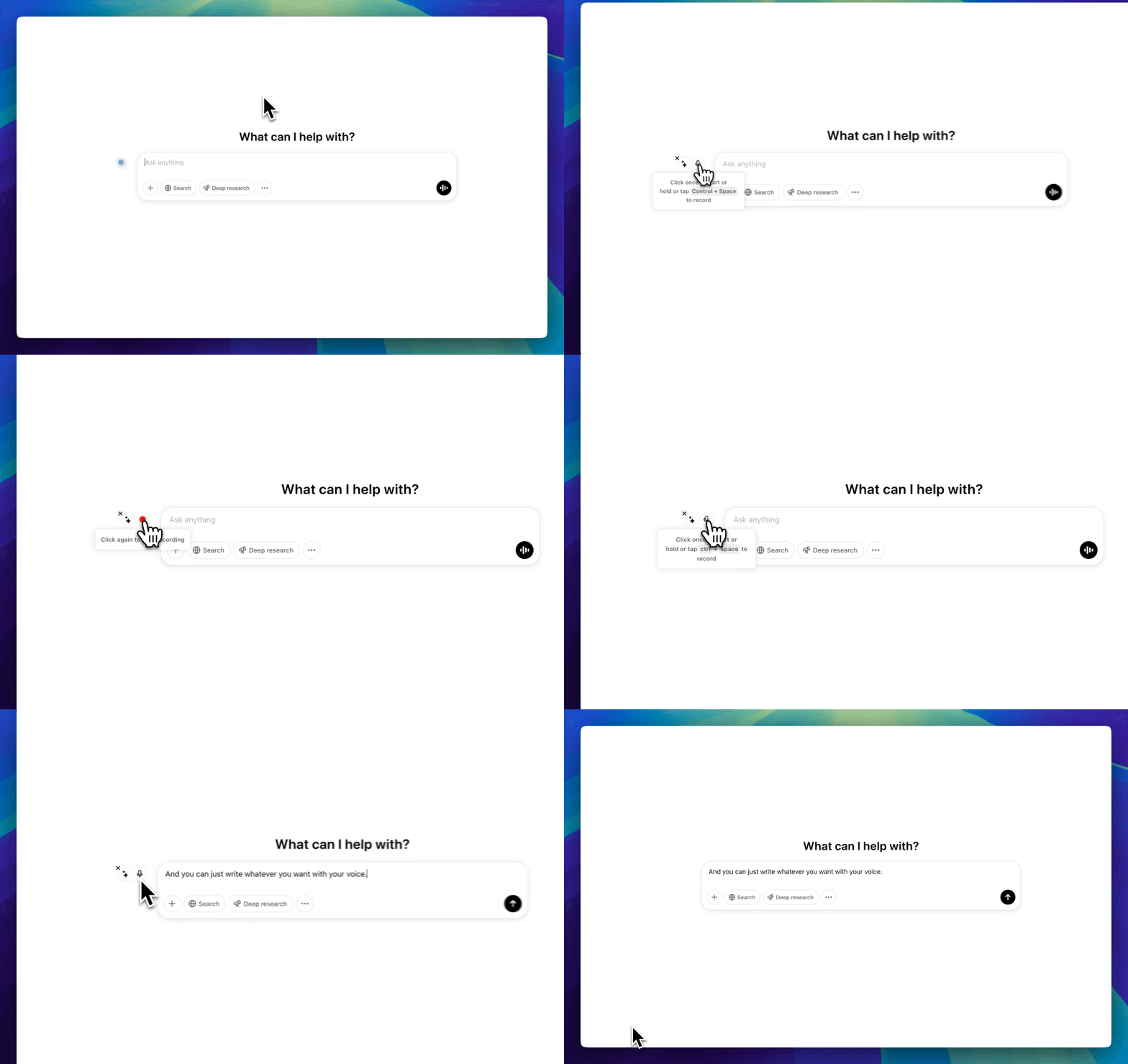
A GIF of Voicy speech to text chrome extension being used in ChatGPT to dictate a prompt

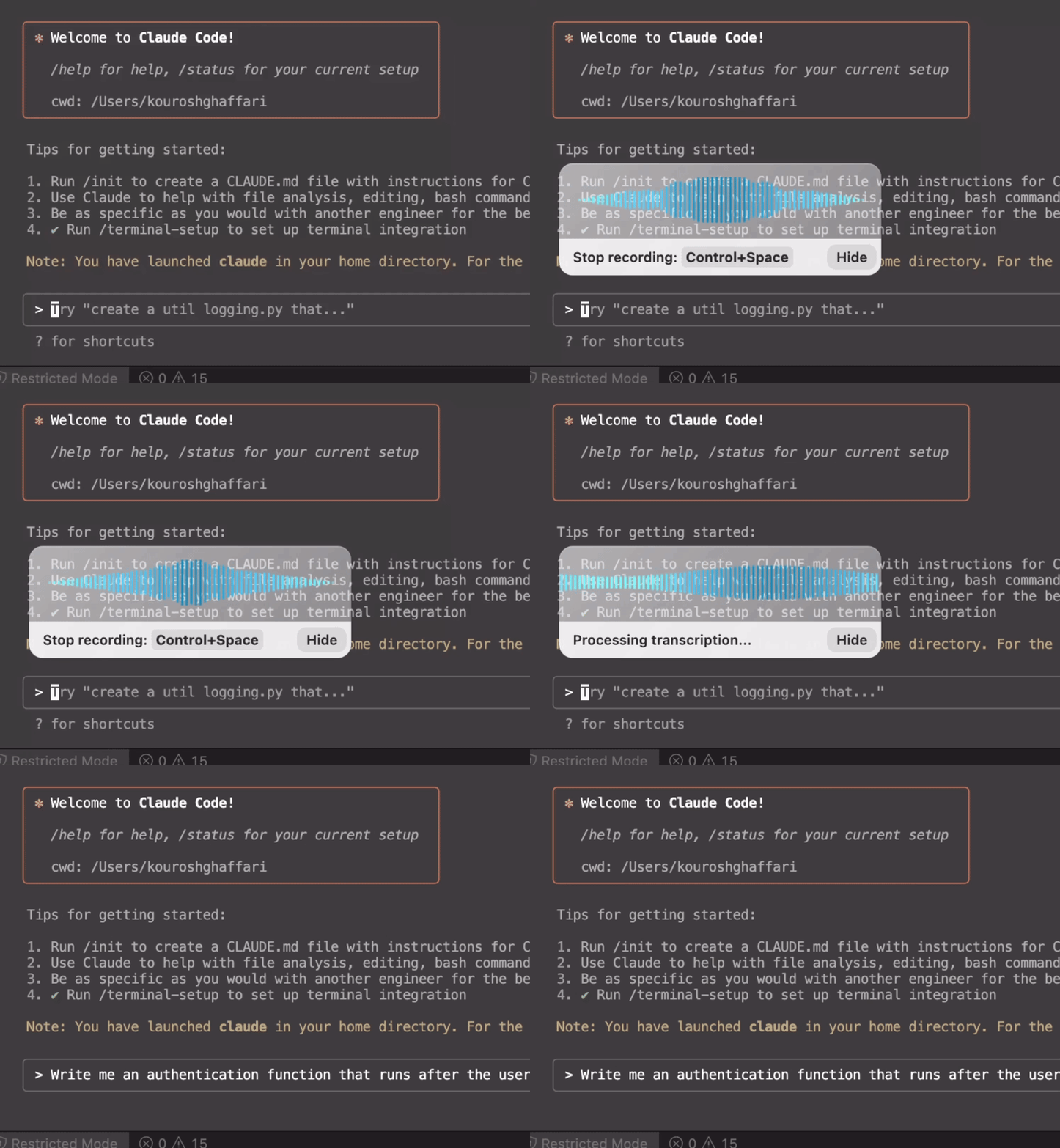
Coding, terminals, vibe-coding

Talk to your terminal, or code in your IDE

VSCodeIntelliJCursorPyCharmCodexClaude Code& more

Use dictation in your TUI for commands, Claude Code, or Codex. Or voice-type in your favorite IDE for some fun coding (the vibe is optional)

  • Works in all terminals and IDEs
  • Write longer & better prompts in half the time
  • Understands coding terminology

Try Voicy for free. It works everywhere.

+10,000 happy users

30 minutes of free recording timeFree trial. No credit card required.

Start for free

Free trial. No credit card required.

FAQ

How is Voicy different from Outlook's dictation?

Outlook does not have built-in voice typing. On Windows, you can use the Win+H shortcut for basic dictation, but it has no automatic punctuation, struggles with accents, and does not work well in Outlook on the web. Voicy uses AI-powered speech recognition with 99%+ accuracy, adds punctuation automatically, and works in both the Outlook desktop app and Outlook web — plus every other app on your computer.

How much does Voicy cost?

Voicy offers a free trial so you can test all features before committing. After the trial, plans start at $8.49/month. Because each transcription uses AI processing in the cloud, a completely free tier is not available — but the trial gives you full access to decide if it is right for you.

Is my dictation private? Do you store what I say?

No. Voicy does not store your voice recordings or your transcriptions. Your speech is processed and immediately discarded. What you dictate in Outlook stays between you and your inbox — we never see your emails.

How does Voicy work in Outlook?

Voicy works in both the Outlook desktop app and Outlook on the web. For the desktop app, Voicy runs in the background and adds dictation to any text field — just press your keyboard shortcut and start speaking. For Outlook web, install the Voicy Chrome extension and the dictation element appears right next to your email. Click the microphone, speak, and your text appears with automatic punctuation.

Does Voicy work with Microsoft 365 and business Outlook?

Yes. Voicy works with personal Outlook.com accounts, Microsoft 365 business accounts, and Exchange-hosted Outlook. Whether you are sending emails from your personal or work account, Voicy works exactly the same way.

What languages does Voicy support for Outlook dictation?

Voicy supports over 50 languages including English, Spanish, German, French, Portuguese, Arabic, Hindi, Chinese, Russian, Dutch, and many more. Language detection is automatic — you can even switch languages mid-sentence while dictating an email in Outlook.

Can I use Voicy to reply to emails in Outlook?

Yes. Voicy works in any text field in Outlook — new emails, replies, forwards, calendar invites, and even Teams chat if you use it through the browser. Anywhere you can type in Outlook, you can dictate with Voicy instead.

Does Voicy work in the Outlook desktop app or just the web version?

Both. The Voicy desktop app (available for Windows and Mac) works in the Outlook desktop application and every other app on your computer. The Voicy Chrome extension works in Outlook on the web. Either way, you get 99%+ accuracy with automatic punctuation.