
How to upgrade Voicy
For security purposes, you can upgrade within the Voicy app.
If you are using the Chrome Extension and not the desktop app, watch this video.
 Download for Windows
 Download for Ubuntu/Debian
 Download for Mac
Open the Voicy app on your computer.
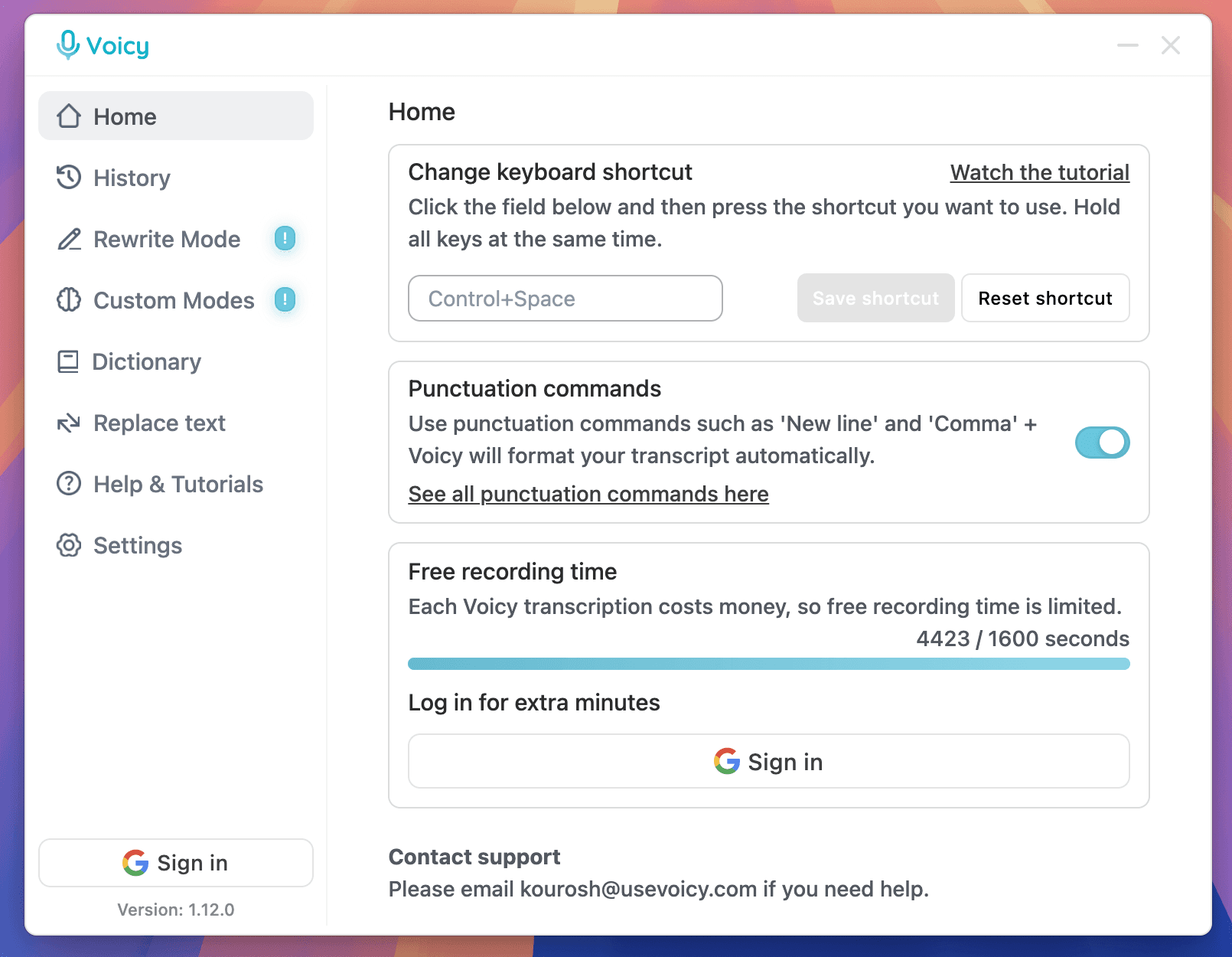
Sign in to Voicy by clicking either of the marked buttons below.
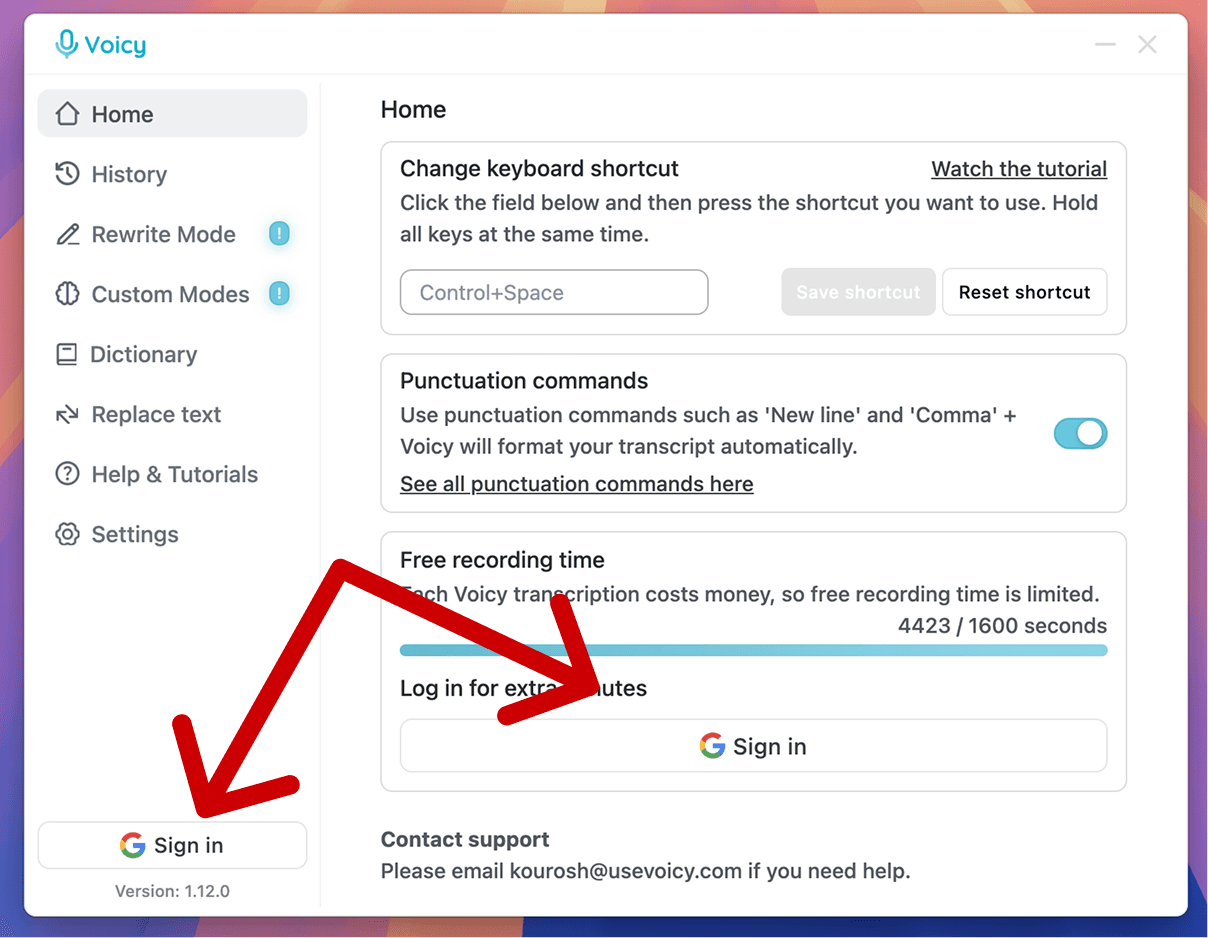
Click on the 'Upgrade now' button under your recording limit bar.
Try Voicy for free. It works everywhere.
30 minutes of free recording time. No credit card required.
Start for freePricing
Fair pricing policy
Our price will never be more than 20% above our total costs.
+10,000 happy users
Free trial
See if you like Voicy
- 30 minutes free recording time
- Full access to all features
Start for free. No credit card required.
Annual20% off
Pro
For the everyday user
$8.49/month
- Unlimited recording time
- Unlimited personal devices
- Desktop + Mobile
One-time payment
Lifetime
Pay once, use forever
$260
- Unlimited recording time
- Unlimited personal devices
- Desktop + Mobile
Voicy for Teams
Minimum of 3 users
Team plan
Speed up your entire org
$6.79/user/mo
- Unlimited recording time
- Desktop + Mobile
- Priority Support

CL Cobb
★★★★★
I've tried other products like it, and, so far, Voicy is the most user-friendly, and it really improves my workflow.

Pam Lang
★★★★★
This is the tool that I was looking for. It is amazing. I've gotten so lazy about typing anywhere. Thank you, thank you, thank you for this product!

Steve Moore
★★★★★
Voicy is an absolute game-changer! This voice-to-text extension delivers exceptional accuracy, capturing my words perfectly every time. The speed is impressive.

Victor Rodriguez
★★★★★
Almost instant replies from the creator, great support great app!

Crystal Willis
★★★★★
I love Voicy!! The extension and the desktop app have saved me so much time. I have tried several different voice-to-text apps. None of them compares to Voicy!
FAQ
Do you give refunds if I don't like it?
Yes. We offer a 7-day refund guarantee.
What languages does Voicy's dictation software support?
Voicy supports over 50 languages including English, German, French, Spanish, Portuguese, Arabic, Hindi, Simplified Chinese, Hebrew, Russian, and Dutch. Language detection is automatic.
How much does the Voicy dictation app cost?
Voicy offers a free trial. After the trial, plans start at $8.49/month.
Is my voice dictation private? Do you store recordings?
Voicy does not store your voice recordings or transcriptions after processing.
What is speech to text and how does Voicy work?
Speech to text converts spoken words into written text. With Voicy, press your keyboard shortcut and speak into any text field on Mac, Windows, or your browser.
Does Voicy work on Mac, Windows, and Chrome?
Yes. Voicy is available as a Mac app, Windows app, and Chrome browser extension.
Is Voicy better than Dragon dictation software?
Voicy works across apps and websites with automatic punctuation and AI writing features. Try the free trial to compare it with your current workflow.
Can I use Voicy for voice typing in Google Docs, Word, and email?
Yes. Voicy works in Google Docs, Microsoft Word, Outlook, Gmail, Slack, Notion, and other apps with text fields.
How accurate is Voicy compared to built-in dictation?
Voicy advertises over 99% accuracy and adds punctuation automatically. Results depend on audio, language, and the words you use.